Learning how to play osu! can feel a little like being handed a mouse, a keyboard, and a tiny pink portal into musical chaos. One moment you are clicking friendly circles to a cheerful song. Five minutes later, your cursor is flying across the screen like it has a scholarship to earn. The good news is that osu! is not complicated at its core. It is a free rhythm game where you click, tap, hold, spin, or press keys in time with music. The better your timing, control, and consistency, the better your score.
This guide explains how to play osu! from the ground up: installing the game, choosing your first mode, understanding beatmaps, improving accuracy, using mods wisely, and practicing without turning your hand into a sad noodle. Whether you want to play casually, climb rankings, or finally understand why your friend keeps saying “just one more map,” this beginner-friendly guide will help you start strong.
What Is osu!?
osu! is a community-powered rhythm game built around music, timing, and player-created beatmaps. A beatmap is the playable chart for a song. It tells the game when circles, sliders, spinners, notes, or objects should appear. Players follow those objects in rhythm with the music, aiming for clean timing and smooth movement.
The game includes four built-in modes: osu!, osu!taiko, osu!catch, and osu!mania. Most new players begin with the main osu! mode, often called osu!standard, because it is the most recognizable version: click circles, follow sliders, and spin spinners. But the other modes are worth exploring, especially if you like drum games, keyboard rhythm games, or catching fruit while wondering how your life became so specific.
How to Install osu!
1. Download the Game
Start by visiting the official osu! website and downloading the current client. New players may see references to osu!stable and osu!lazer. The stable client is the long-running classic version, while osu!lazer is the modern rewrite with newer features and broader platform support. Both can be useful, but beginners can start with whichever version the official download page recommends for their device.
2. Create an Account
You can play locally, but creating an account lets you download beatmaps more easily, submit scores, join multiplayer rooms, add friends, and track progress. Choose a username you will not regret in three months. “CircleDestroyer9000” may feel powerful today, but tomorrow you may have to explain it in a tournament lobby.
3. Adjust Your Settings
Before chasing high scores, open the settings menu. Turn off anything that distracts you, adjust the frame limiter if needed, and test your audio offset. Rhythm games depend heavily on timing. If the music feels slightly ahead or behind the hit objects, your accuracy will suffer even when your hands are doing the right thing.
Choose Your osu! Game Mode
osu!standard
This is the classic mode most people mean when they say “osu!” You use your mouse, tablet, keyboard, or touchscreen to hit circles, follow sliders, and clear spinners. The goal is to click objects in the correct order at the correct time. Beginners usually start here because the rules are simple, but the skill ceiling is enormous.
osu!taiko
osu!taiko is inspired by drum rhythm games. Instead of moving a cursor around the screen, you press keys for different drum hits. It rewards rhythm reading, timing, and pattern recognition. If you like percussion or want a mode that is less about cursor movement, osu!taiko is a great option.
osu!catch
In osu!catch, you control a catcher at the bottom of the screen and catch falling fruit in rhythm with the song. It sounds adorable because it is. Then the fruit starts dropping in wild patterns, and suddenly your cute little catcher is training for the fruit Olympics.
osu!mania
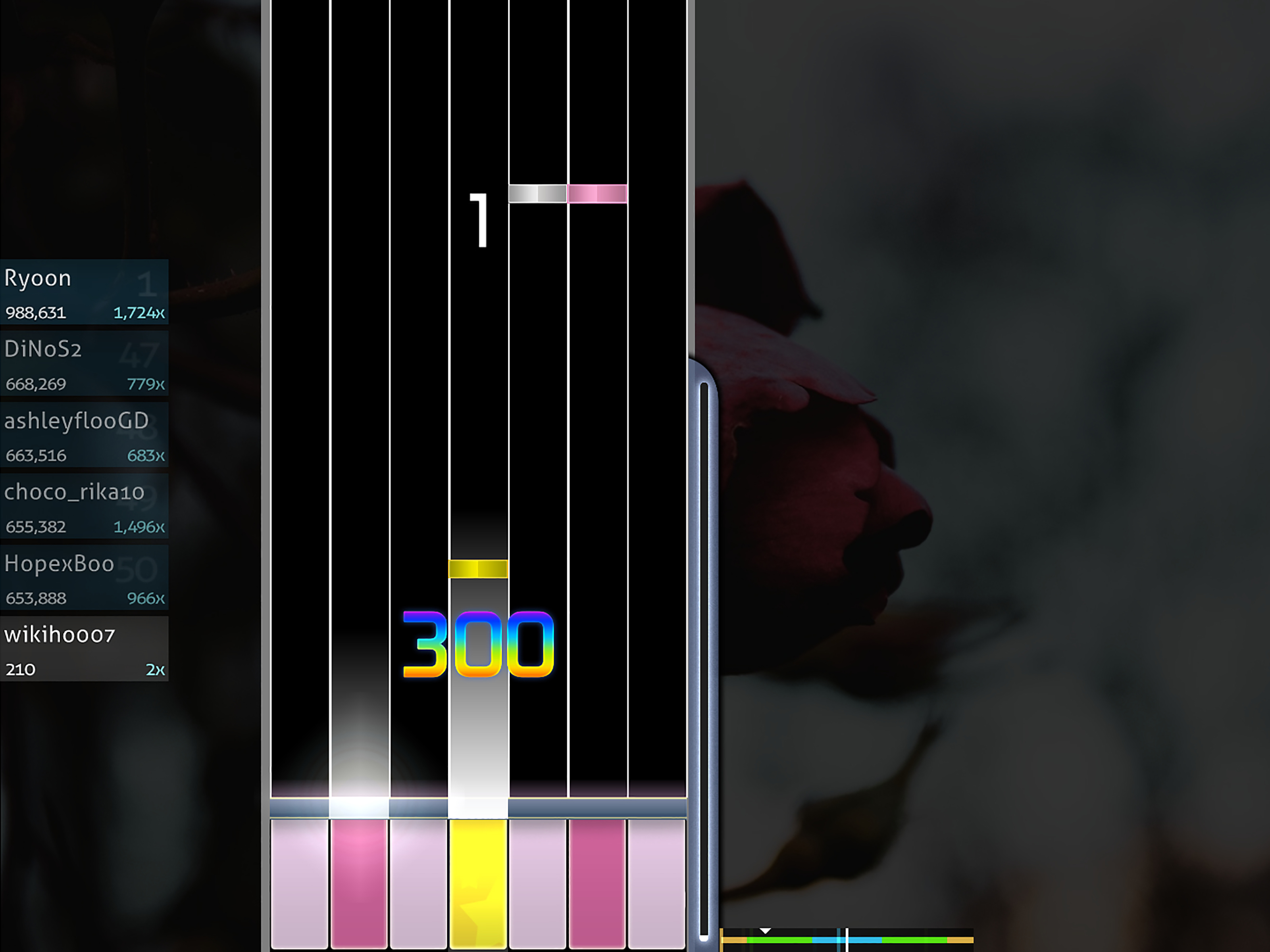
osu!mania is a vertical scrolling keyboard rhythm mode. Notes fall toward a judgment line, and you press the matching keys at the right time. If you have played games like StepMania, Guitar Hero-style rhythm charts, or piano-key rhythm games, osu!mania will feel familiar.
Understand the Core Gameplay
Hit Circles
Hit circles are the basic objects in osu!standard. A circle appears with an approach circle shrinking toward it. Your job is to click when the approach circle meets the hit circle. Click too early or too late, and your score drops. Miss completely, and the game politely informs you that rhythm has left the building.
Sliders
Sliders require you to click and hold while following a path. Keep your cursor on the slider ball until the object ends. Sliders test smooth control, not just quick clicking. A common beginner mistake is tapping the start correctly but drifting away before the slider finishes.
Spinners
Spinners ask you to rotate your cursor around the center of the screen as quickly and smoothly as possible. You do not need to summon a tornado. Just spin consistently. Clean circles beat frantic scribbles.
Learn Beatmap Difficulty
Every beatmap has difficulty settings that shape how hard it feels. Understanding these numbers helps you choose maps that are challenging without being impossible.
Star Rating
Star rating is the quick difficulty estimate. A 1-star map is beginner-friendly. A 3-star map may feel comfortable after practice. A 5-star map can feel like your cursor is being chased by bees if you are new. Do not rush star ratings. Improvement in osu! is built through steady exposure, not ego-powered suffering.
Approach Rate
Approach Rate, or AR, affects how quickly objects appear before they must be hit. Low AR gives you more time to read, while high AR requires faster reactions. Beginners often benefit from moderate AR because it gives the brain enough time to process patterns.
Circle Size
Circle Size, or CS, controls how large hit circles appear. Larger circles are easier to hit. Smaller circles demand more precise aim. If you are missing constantly, try easier maps with larger circles before blaming your mouse, your desk, or the moon.
Overall Difficulty
Overall Difficulty, or OD, affects timing strictness. Higher OD means smaller hit windows, so you must click closer to the exact beat. Accuracy becomes more important as OD rises.
HP Drain
HP Drain determines how quickly your health falls when you miss or mistime notes. Some maps are forgiving. Others act like they were designed by a metronome with anger issues.
How Scoring and Accuracy Work
osu! rewards both timing and consistency. In osu!standard, strong hits give better judgments, while weak timing lowers your accuracy. Missing notes breaks combo and can heavily reduce your final score. This is why experienced players care so much about accuracy. A flashy play with many misses may look cool, but a controlled play with high accuracy usually shows stronger fundamentals.
Performance points, commonly called pp, are used as a ranking metric. They are not just about raw score. They reflect how impressive a play is based on difficulty, accuracy, combo, and other factors. New players should not obsess over pp immediately. First learn how to read maps, keep rhythm, and avoid panic-clicking like your cursor owes you money.
Best Controls for Beginners
Mouse Only
You can play osu!standard with only a mouse. This is simple and perfectly valid, especially when starting out. The challenge is that clicking with the same hand you aim with can create tension during fast sections.
Mouse and Keyboard
Many players aim with the mouse and tap with keyboard keys such as Z and X. This separates aiming from tapping, making faster patterns easier to control. It may feel awkward for a day or two, but it is worth testing.
Tablet and Keyboard
Some players use a drawing tablet for aiming and keyboard keys for tapping. Tablets can offer consistent positioning, but they are not required. Buying gear will not magically grant skill. Practice still wants rent.
How to Find Good Beginner Beatmaps
Use beatmap search to find songs and difficulties that match your level. Look for maps with low star ratings, clear rhythms, and multiple difficulty levels. A good beginner beatmap teaches you patterns gradually instead of throwing you into a musical washing machine.
Try searching for songs you enjoy. Familiar music helps because you already know the rhythm. If you love the song, you are more likely to replay it, and replaying is where improvement happens. Just remember: liking a song does not mean you are ready for its hardest difficulty. Your favorite track may still have a top difficulty that looks like a spider learned calligraphy.
How to Practice osu! Effectively
Start Below Your Limit
Choose maps you can pass with decent accuracy. If you are constantly failing, your brain is too busy surviving to learn. A good practice map should feel challenging but readable.
Focus on Accuracy First
New players often chase speed too early. Accuracy builds timing discipline. Try to improve your hit timing before moving to faster maps. A clean 95% accuracy pass on an easier map is often more useful than a messy pass on a much harder one.
Practice Reading
Reading means understanding what the pattern wants before your hand moves. Do not stare only at the current circle. Let your eyes look slightly ahead so your movement stays smooth.
Use Short Sessions
osu! can be intense. Take breaks, stretch gently, and stop if your hand or wrist hurts. Improvement comes from consistent practice, not from turning one long session into a heroic documentary called “The Day My Fingers Filed a Complaint.”
Should You Use Mods?
Mods change how maps play. Some make maps easier, some make them harder, and some are just for fun. Easy and No Fail can help beginners survive maps while learning patterns. Hard Rock, Hidden, Double Time, and Flashlight increase difficulty in different ways. Use mods as learning tools, not shortcuts. If a mod helps you practice a specific skill, great. If it only makes you confused, save it for later.
Common Beginner Mistakes
Playing Maps That Are Too Hard
The fastest way to slow down improvement is to play only maps far above your level. You may pass one occasionally, but you will build messy habits. Step up gradually.
Ignoring Audio Offset
If every hit feels late or early, check your offset. A small timing mismatch can make osu! feel unfair when the real issue is setup.
Changing Sensitivity Constantly
Find a comfortable sensitivity and stick with it long enough to adapt. Constantly changing settings prevents muscle memory from forming.
Retrying Too Much
Retrying can help, but replaying the same map for an hour may create frustration. Rotate between several maps so your skills grow evenly.
How to Improve Over Time
Build a balanced routine. Play comfortable maps for accuracy, slightly harder maps for growth, and occasional stretch maps for fun. Watch replays to see where you miss. Are you late on streams? Overshooting jumps? Losing rhythm on sliders? Each mistake is a clue, not a personal insult from the circle gods.
Also explore the community. osu! has forums, multiplayer rooms, beatmap discussions, tournaments, skins, and mapping tools. You do not have to become a competitive player to enjoy the community side. Sometimes the best part is finding a song you love and discovering that someone mapped it beautifully.
Experience Section: What Playing osu! Feels Like After the First Few Weeks
The first week of osu! usually feels like a strange negotiation between your eyes, ears, and hand. Your ears understand the beat. Your eyes see the circles. Your hand, however, may have other plans. It might leap too far, freeze during sliders, or click a full Tuesday too early. That is normal. Every osu! player has experienced the beginner phase where even simple maps feel surprisingly demanding.
One useful experience is learning that improvement rarely arrives as one dramatic breakthrough. It comes in tiny moments. Yesterday, a jump pattern looked impossible. Today, you hit half of it. Next week, you pass the map. A month later, you wonder why it ever felt hard. osu! constantly resets your idea of what “fast” and “difficult” mean, which is both humbling and addictive.
Another common experience is discovering your personal comfort zone. Some players love aim-heavy maps with big jumps. Others enjoy rhythm-heavy streams, technical sliders, or keyboard-focused osu!mania charts. At first, you may think being good means copying top players. Over time, you realize osu! is more fun when you build your own style. You can still learn from strong players, but your setup, hands, music taste, and goals are your own.
Playing osu! also teaches patience. There will be days when your accuracy drops for no obvious reason. There will be maps you almost full-combo, only to miss near the end because your brain notices success and immediately presses the panic button. This is part of the rhythm game experience. The trick is not to treat every miss like a disaster. Treat it like feedback. Missed the same pattern three times? Slow down, choose similar easier maps, or replay that section later with a calmer mindset.
The best long-term experience comes from enjoying the music. osu! is much easier to practice when you actually like what you are hearing. A favorite song can turn repetition into fun instead of homework. Build collections of maps you enjoy: warm-up maps, accuracy maps, challenge maps, and comfort maps for days when you just want to click circles and vibe.
After a while, osu! becomes more than a game about clicking circles. It becomes a rhythm training tool, a music discovery machine, a hand-eye coordination challenge, and occasionally a comedy show starring your own mistakes. You will laugh at random misses. You will celebrate tiny accuracy gains. You may even develop strong opinions about approach rate, which is a clear sign that the circles have successfully recruited you.
Conclusion
Learning how to play osu! starts with simple steps: download the game, pick a mode, choose beginner-friendly beatmaps, focus on accuracy, and practice consistently. Do not rush into high-star maps just because they look impressive. Build fundamentals first. Learn to read patterns, control your cursor, tap in rhythm, and stay relaxed during tricky sections.
osu! is easy to start and wonderfully difficult to master. That is the magic. Every map gives you a new rhythm puzzle, every replay teaches something, and every improvement feels earned. So pick a song, warm up your fingers, and remember: the circles are not your enemy. They are just very enthusiastic dots with excellent timing.