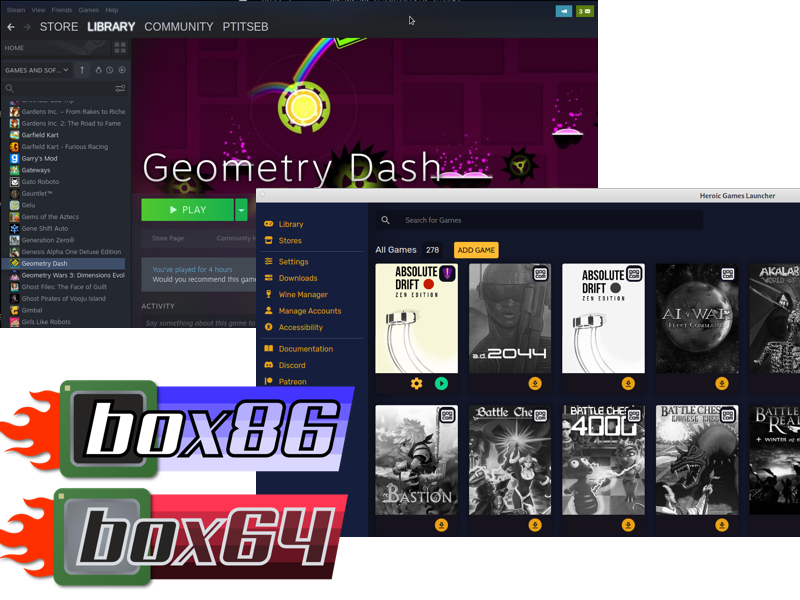
Efficient X86_64 emulation with Box86 sounds like a tiny miracle: take software built for classic PC processors, run it on ARM or other non-x86 Linux hardware, and somehow avoid turning your computer into a toaster with a login screen. The real story is a little more preciseand much more interesting. Box86 itself is designed for 32-bit x86 Linux applications, while its sibling, Box64, handles x86_64 Linux binaries on 64-bit non-x86 systems. In practical setups, especially when Wine, Steam, older games, and mixed 32-bit/64-bit dependencies enter the chat, people often talk about “Box86” as part of the larger Box86/Box64 ecosystem.
That ecosystem is what makes the topic exciting. Instead of emulating an entire computer like a traditional virtual machine, Box86 and Box64 focus on Linux userspace translation. They run foreign-architecture applications by translating CPU instructions and wrapping common system libraries so the app can call native host libraries whenever possible. In plain English: the emulator does not try to carry the whole piano upstairs. It finds out which parts are already upstairs and only lifts what it must.
This article explains how Box86 and Box64 make x86 and x86_64 emulation more efficient, where they shine, where they struggle, and how real users can think about performance without needing a PhD in compiler wizardry. We will also cover practical experience, setup habits, and the little “why is this not launching?” gremlins that show up when emulation meets Linux.
What Box86 Actually Does
Box86 is a Linux userspace emulator for running 32-bit x86 Linux programs on non-x86 Linux systems, especially ARM-based devices. It is popular among Raspberry Pi users, single-board computer fans, retro gaming enthusiasts, and tinkerers who enjoy making tiny boards do things their product brochures never promised.
The important word is userspace. Box86 is not trying to emulate a whole PC with BIOS, chipset, storage controller, graphics card, and all the baggage that comes with full-system emulation. Instead, it focuses on running Linux applications compiled for another CPU architecture. That narrower mission is one reason Box86 can be surprisingly efficient compared with heavier emulation approaches.
For x86_64 software, Box64 is the tool built for the job. Box64 runs 64-bit x86 Linux programs on 64-bit non-x86 Linux systems such as ARM64, RISC-V 64-bit, and LoongArch 64-bit. When people want to run modern PC Linux applications or Windows applications through Wine/Proton on ARM Linux, Box64 usually becomes the main actor, with Box86 still useful for older 32-bit components.
Why X86_64 Emulation Matters on ARM Linux
ARM hardware has moved far beyond “cute little board under the TV.” Today, ARM chips power laptops, mini PCs, handheld gaming devices, development boards, cloud servers, and hobby machines. The hardware is efficient, quiet, and often affordable. The software library, however, is still heavily shaped by decades of x86 and x86_64 dominance.
That creates a practical problem: plenty of useful applications, games, tools, launchers, and binary-only programs are still distributed primarily for x86_64 Linux or Windows. Recompiling from source is great when source code exists, dependencies cooperate, and the moon is in a reasonable mood. But for closed-source apps or old software, recompiling may not be an option.
That is where Box86 and Box64 become valuable. They act as bridges between software built for the traditional PC world and newer non-x86 Linux devices. For gamers, this can mean experimenting with Steam, Proton, Wine, and legacy titles. For developers, it can mean running an older binary toolchain. For hobbyists, it can simply mean proving that yes, your tiny ARM board can run that weird Linux game from 2009.
The “Twist”: Library Wrapping
The clever part of Box86 and Box64 is not merely that they translate instructions. The clever part is that they wrap many common libraries. Instead of emulating every single operation inside an x86 version of a library, the emulator can redirect calls to a native library on the host system.
Imagine an x86 game calls SDL, OpenGL, OpenAL, GTK, or another common Linux library. A brute-force emulator might try to run the x86 version of that library instruction by instruction. Box86’s more efficient strategy is to say, “Wait, the ARM system already has a native version of this library. Let’s use that.” This reduces overhead and can dramatically improve performance in software that spends much of its time inside libraries rather than raw CPU loops.
This is why graphics-heavy applications can sometimes perform better than expected. If much of the rendering path moves through native OpenGL or Vulkan-related components, the emulator has less CPU translation work to do. It is not magic, but it does feel like the software equivalent of finding a shortcut through the mall instead of walking past every candle kiosk.
Dynamic Recompilation: The Speed Engine
Another major performance ingredient is dynamic recompilation, often shortened to dynarec. Instead of interpreting x86 instructions one by one forever, a dynarec translates blocks of guest CPU instructions into native host instructions. Once translated, those blocks can be reused, reducing repeated translation overhead.
This matters because pure interpretation is usually slow. It is like reading a cookbook in a language you barely know while cooking each step. Dynamic recompilation is more like translating the recipe once, taping it to the fridge, and then cooking from the translated version.
Box64’s dynarec has received ongoing development, including work around instruction handling, memory mapping, and caching behavior. Box64 has also gained features aimed at improving game compatibility, Steam stability, CPU extension support, and generated-code reuse. For users, the simple takeaway is this: performance is not static. The Box86/Box64 ecosystem keeps evolving, and an app that was rough last year may behave better after updates.
Box86 vs Box64: Know the Difference
The title “Efficient X86_64 Emulation With Box86” is useful for search intent, but technically, Box86 and x86_64 are not the same target. Here is the practical distinction:
Box86
Box86 runs 32-bit x86 Linux applications. It is especially relevant for older Linux games, older Wine setups, and 32-bit components that still appear in mixed software stacks. On ARM64 systems, using Box86 may require 32-bit ARM support and a proper multiarch environment because Box86 itself does not magically convert every 32-bit dependency into a 64-bit one.
Box64
Box64 runs x86_64 Linux applications on 64-bit non-x86 Linux systems. It is the tool most people need when talking about modern 64-bit Linux software, Wine64, Proton, and many newer games or desktop programs.
Box86 + Box64 Together
Many real-world software stacks are messy. A 64-bit launcher may call a 32-bit helper. A game may ship old 32-bit libraries. Wine and Proton setups may involve both 32-bit and 64-bit pieces depending on the program. This is why many ARM Linux users install and configure both Box86 and Box64. Together, they cover a wider range of software than either one alone.
Running Windows Apps: Where Wine Joins the Party
Wine is not an emulator in the traditional sense. It is a compatibility layer that translates Windows API calls into POSIX calls on Linux and other operating systems. When Wine is combined with Box86 or Box64, the stack can run Windows applications built for x86 or x86_64 on non-x86 Linux hardware.
That sounds like a software sandwich, and frankly, it is. The Windows app expects Windows APIs and x86 instructions. Wine handles the Windows API translation. Box86 or Box64 handles the CPU architecture translation. The Linux system provides the native kernel, graphics stack, audio stack, file system, and libraries. When everything lines up, it feels almost unreasonable that it works at all.
For 64-bit Windows applications on ARM64 Linux, Box64 with Wine64 is typically the relevant path. For 32-bit Windows programs, Box86 may be required, although newer Wine WOW64 approaches can reduce the need for a separate 32-bit environment in some setups. The best approach depends on the distribution, hardware, Wine version, driver support, and the app itself.
Performance Expectations: Fast, But Not a Superpower
Efficient x86_64 emulation does not mean native performance in every case. It means the emulator uses smart shortcuts to reduce unnecessary overhead. CPU-heavy workloads can still be significantly slower than native ARM builds because every instruction translation has a cost. Apps that spend more time in wrapped native libraries may run much better.
That distinction is crucial. A lightweight game that leans heavily on graphics libraries might be surprisingly smooth. A compression tool, compiler, encryption benchmark, or physics-heavy simulation may expose the cost of CPU translation quickly. In other words, Box64 can help your ARM device cosplay as an x86_64 machine, but it cannot rewrite the laws of silicon just because you asked nicely.
Memory also matters. Steam, Wine, Proton, browser-based launchers, and modern game clients can consume a lot of RAM before the actual game even starts. A 4 GB ARM board may technically run the stack, but “technically” can be the most dangerous word in computing. More RAM, faster storage, and better cooling often improve the experience more than another afternoon of random environment-variable experimentation.
Best Use Cases for Box86 and Box64
1. Legacy Linux Games
Many older indie games were released as x86 Linux binaries and never updated for ARM. Box86 gives these games a second life on small Linux devices. This is one of the most satisfying use cases because the apps are often lightweight enough to run well.
2. Steam and Proton Experiments
Box64 has become increasingly relevant for running parts of the Steam ecosystem on ARM Linux. Steam is not a tiny application, and modern game compatibility varies widely, but the progress is real. For tinkerers, this is the “because I can” mountainand people keep climbing it.
3. Wine-Based Windows Applications
Some Windows apps work acceptably through Wine plus Box86 or Box64. Older utilities, small productivity programs, and lightweight games can be good candidates. Apps with heavy DRM, advanced graphics requirements, anti-cheat systems, or unusual drivers are more likely to cause trouble.
4. Binary-Only Developer Tools
Sometimes developers need to run a closed-source x86 or x86_64 command-line tool on ARM Linux. If the tool is not too CPU-intensive and has manageable dependencies, Box64 can be a convenient workaround.
5. Single-Board Computer Projects
Raspberry Pi-style systems, RK3588 boards, ARM mini PCs, and experimental RISC-V machines are natural playgrounds for Box86 and Box64. They may not replace a desktop gaming PC, but they can run an impressive range of software with the right setup.
Common Problems and How to Think About Them
Missing Libraries
A frequent issue is not the emulator itself but missing libraries. An x86 or x86_64 application expects certain dependencies, and the system may not have compatible native versions or wrapped equivalents. The result can be a cryptic error that looks like a ransom note written by a linker.
The solution is usually careful dependency checking. Read the error output. Confirm whether the missing component is a Linux library, a Wine dependency, a graphics driver issue, or a 32-bit/64-bit mismatch. Guessing is fun for birthday presents, less fun for shared object files.
Wrong Architecture Mix
Trying to use Box86 for a 64-bit binary will not work as expected. Trying to use Box64 for a 32-bit x86 binary is also the wrong path unless a newer integrated option specifically supports that case. Always check the binary architecture with tools such as file before blaming the emulator.
Graphics Driver Limitations
Games often fail because of GPU driver limitations, not because the CPU emulator is broken. OpenGL, Vulkan, DXVK, Mesa versions, proprietary drivers, and kernel support all matter. A title that works on one ARM board may fail on another simply because the graphics stack is different.
DRM and Anti-Cheat
Modern DRM and anti-cheat systems are tough even on ordinary Linux desktops. Add CPU architecture translation, Wine, and nonstandard hardware, and compatibility becomes less predictable. Older DRM-free games are usually better candidates for success than heavily protected competitive multiplayer titles.
Practical Optimization Tips
Efficient emulation begins with realistic setup choices. Use a recent Linux distribution with strong ARM support, current Mesa drivers, and a kernel that behaves well on your hardware. Old software stacks can create old problems, which is charming in retro gaming and annoying everywhere else.
Next, install the correct tool for the architecture. Use Box86 for 32-bit x86 Linux binaries and Box64 for 64-bit x86_64 binaries. For Wine setups, understand whether the application needs 32-bit Wine, 64-bit Wine, or a WOW64 configuration. This saves hours of shouting at your terminal like it personally betrayed you.
Pay attention to environment variables, but do not treat them like magic spells. Box86 and Box64 expose many controls for logging, dynarec behavior, library handling, and compatibility tweaks. These can help diagnose or improve specific programs, but randomly toggling everything can make troubleshooting harder.
Use compatibility lists and community reports as a starting point. If other users report that a game works with Box64, Wine, Proton, DXVK, and a particular driver stack, that is useful information. If no one has reported success, it does not mean failure is guaranteed, but you should bring patience and possibly snacks.
Box86, Box64, QEMU, and FEX: Choosing the Right Tool
Box86 and Box64 are not the only options. QEMU-user is widely known and flexible. FEX is another fast Linux usermode x86 and x86_64 emulator for ARM64 Linux, with broad compatibility goals and active interest from the gaming community. Each tool has strengths.
Box64 often appeals because of its library wrapping strategy and practical gaming focus. FEX may be attractive for broad x86/x86_64 support on ARM64, especially in newer gaming stacks. QEMU-user is a dependable general-purpose option, especially for development and cross-architecture workflows. The best answer is not always “which emulator is fastest?” but “which emulator runs this exact app on this exact device with the least drama?”
For users who want to run mixed legacy software, Box86 plus Box64 remains a powerful combination. For users focused entirely on modern x86_64 Linux applications, Box64 is the more directly relevant project. For users experimenting with future ARM gaming ecosystems, watching Box64, FEX, Proton, and Wine together is like watching a very technical race where everyone is riding a different bicycle but somehow gaining speed.
Security and Stability Considerations
Running old binaries is convenient, but it also deserves caution. Download software from trustworthy sources. Avoid random executables from abandoned forums unless you enjoy turning your system into a mystery novel. Use separate prefixes for Wine applications, keep backups of configuration files, and avoid running unknown binaries with elevated privileges.
Stability also varies. Some applications run perfectly. Some need launch flags. Some open once, create a config file, and then refuse to acknowledge your existence. That is not unusual in emulation. Keep notes when something works. Your future self will thank you, probably while wearing the tired expression of someone who has reinstalled Mesa twice.
Real-World Experience: What It Feels Like to Use Box86 and Box64
The first experience with Box86 or Box64 is usually a mix of delight and detective work. You install the emulator, try a small x86 Linux program, and suddenly it runs on an ARM device that was never meant to run it. That first success feels like teaching a cat to answer emails. It may not be enterprise-grade productivity, but it is undeniably impressive.
Then reality arrives. The second program complains about a missing library. The third program launches but has no sound. The fourth needs a different Wine prefix. The fifth works perfectly, which somehow makes the broken ones more irritating. This pattern is normal. Efficient emulation is not a single switch; it is a stack of CPU translation, library wrapping, graphics support, audio handling, file paths, permissions, and application-specific quirks.
One of the best habits is to start small. Before trying a huge Windows game through Steam and Proton, test a simple Linux x86 command-line program. Then test a lightweight graphical app. Then test Wine with a small utility. Each successful layer confirms that part of the stack is working. If you start with a demanding 3D game and it fails, you will not know whether the problem is Box64, Wine, DXVK, Vulkan, Steam, the GPU driver, missing fonts, or the universe trying to humble you.
Another useful habit is to separate experiments. Create different Wine prefixes for different applications. Keep notes about environment variables. Record which version of Box64, Wine, Mesa, and the kernel you used. This sounds boring until something breaks after an update and your notes become the sacred scrolls of recovery.
Hardware choice matters more than beginners expect. A weak ARM board with slow storage and limited RAM can technically run emulated software, but load times and stutters may ruin the fun. A stronger ARM64 mini PC with good cooling, fast storage, and a supported GPU stack gives Box64 much more room to shine. Emulation loves CPU performance, memory bandwidth, and driver maturity. It does not love thermal throttling, ancient kernels, or microSD cards that have seen things.
In gaming, expectations should be flexible. Older 2D games, lightweight indie titles, and software with modest graphics requirements are often the most satisfying. Heavier 3D games may work, but performance depends heavily on graphics APIs, shader compilation, driver support, and whether the game leans more on GPU libraries or raw CPU work. When a game works smoothly, it feels like a small victory parade. When it does not, check community reports before assuming your setup is cursed.
For productivity software, the experience can be surprisingly practical. Older Windows utilities through Wine, binary-only Linux tools, and small desktop apps may run well enough for everyday use. This is where Box86 and Box64 can be more than a hobby. They can preserve access to software that has no native ARM build, buying time while the Linux ARM ecosystem continues to grow.
The biggest lesson is that Box86 and Box64 reward curiosity. They are not polished consumer buttons labeled “make all PC software work.” They are powerful compatibility tools built for people willing to understand the stack. That does not mean you need to be a kernel developer. It means you should read logs, test one variable at a time, and accept that some software will simply not cooperate. Computers, like toddlers and printers, have opinions.
Efficient x86_64 emulation with the Box86/Box64 ecosystem is therefore both practical and experimental. It is practical because it can run real applications and games on real non-x86 Linux hardware. It is experimental because compatibility still depends on many moving parts. The fun is in the middle: enough success to be useful, enough challenge to stay interesting, and enough community progress to make the next update worth trying.
Conclusion
Efficient X86_64 Emulation With Box86 is best understood as a gateway into the broader Box86 and Box64 ecosystem. Box86 handles 32-bit x86 Linux applications, Box64 handles x86_64 applications, and together they give ARM and other non-x86 Linux users a practical path to running software that once belonged almost exclusively to traditional PCs.
The efficiency comes from smart design choices: userspace focus, dynamic recompilation, native library wrapping, and close integration with real Linux system libraries. The results are not perfect, and compatibility will always vary by application, hardware, driver stack, and configuration. But for games, Wine experiments, older Linux software, and binary-only tools, Box86 and Box64 can turn a small ARM machine into a surprisingly capable compatibility playground.
The best approach is patient and methodical. Know your target architecture. Keep your system updated. Test simple applications first. Use compatibility reports. Treat environment variables as diagnostic tools, not lucky charms. When everything works, enjoy the strange joy of watching software run somewhere it was never officially invited.