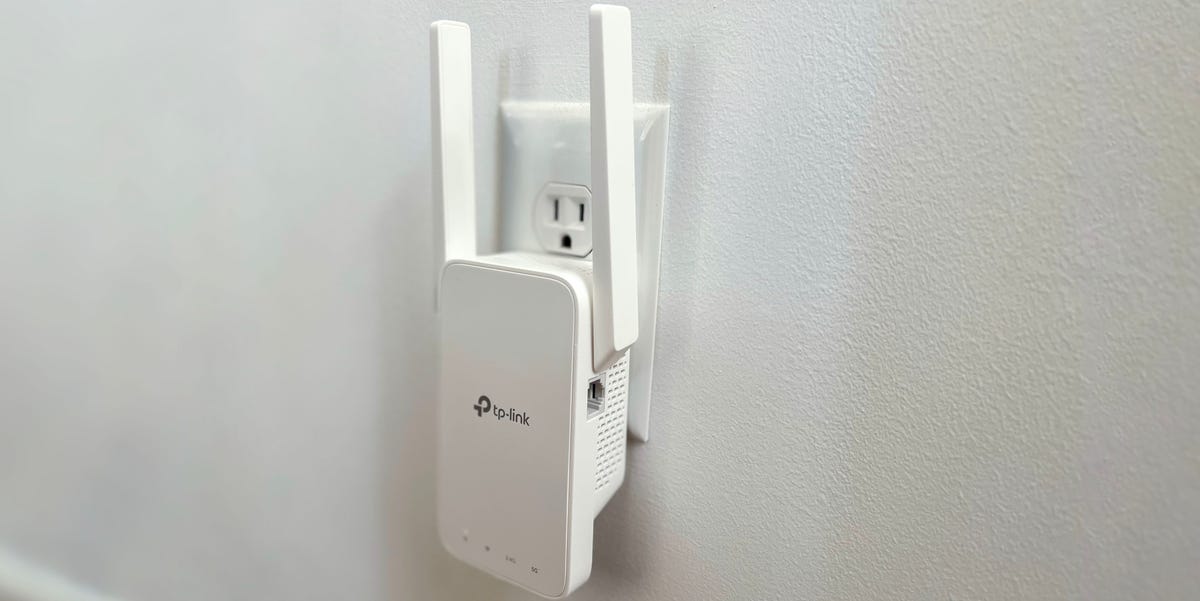
Few modern household mysteries are more annoying than this one: your internet plan says “fast,” your router blinks like a tiny spaceship, and yet the bedroom, garage, or upstairs office still behaves like it is receiving Wi-Fi through a potato. That is where the best Wi-Fi extenders of 2022 earned their place. They were not magic boxes, but for the right home, the right router, and the right dead zone, they could turn “one bar and a prayer” into a stable enough connection for streaming, homework, Zoom calls, gaming, smart TVs, and everyday browsing.
A Wi-Fi extender, also called a Wi-Fi range extender, repeater, or signal booster, works by receiving your existing wireless signal and rebroadcasting it farther into your home. In 2022, the market was split between affordable Wi-Fi 5 models that handled basic coverage problems and newer Wi-Fi 6 extenders built for busier homes with more phones, laptops, tablets, cameras, consoles, and smart speakers fighting for airtime. The best choice depended less on flashy packaging and more on your real problem: distance, walls, device count, router age, or a badly placed router hiding behind a TV like it owes rent.
This guide breaks down the best Wi-Fi extenders 2022 buyers should know, explains who each model fits, and offers practical setup advice so you do not accidentally place your extender in the exact spot where Wi-Fi goes to retire.
Quick Picks: Best Wi-Fi Extenders 2022
| Category | Recommended Extender | Best For |
|---|---|---|
| Best Overall | TP-Link RE605X AX1800 | Most homes upgrading to Wi-Fi 6 |
| Best Budget Pick | TP-Link RE220 AC750 | Small dead zones and basic browsing |
| Best Premium Wi-Fi 5 Extender | TP-Link RE650 AC2600 | Large rooms, smart TVs, and stronger AC coverage |
| Best Mesh-Style Extender | Netgear Nighthawk EX7700 | Homes that want one Wi-Fi name and tri-band performance |
| Best Compact Wi-Fi 6 Option | Netgear EAX15 AX1800 | Easy wall-plug Wi-Fi 6 coverage |
| Best for Simple Wi-Fi 6 Setup | Linksys RE7310 AX1800 | Fast setup and wider coverage in medium homes |
| Best Smart App Features | D-Link E15 Eagle Pro AI AX1500 | Users who like app-guided optimization |
What Made a Great Wi-Fi Extender in 2022?
The best Wi-Fi extender in 2022 was not simply the one with the highest number on the box. AC2600, AX1800, and AX1500 labels are useful, but they describe theoretical combined speeds across bands, not the exact speed you will see while watching a movie in the back bedroom. A good extender needed a strong balance of range, stability, setup simplicity, router compatibility, and useful extras like a Gigabit Ethernet port.
Wi-Fi 6 became a big deal because it was designed for modern homes filled with connected devices. Features such as OFDMA, MU-MIMO, beamforming, and improved security support helped Wi-Fi 6 equipment manage crowded networks better than older standards. In plain English, Wi-Fi 6 was not only about speed; it was also about making your network less grumpy when several people were streaming, gaming, scrolling, and pretending to “quickly check one email” at the same time.
Still, Wi-Fi 5 extenders remained useful in 2022. Many homes still had Wi-Fi 5 routers, and plenty of dead-zone problems did not require a full network upgrade. For a small apartment, a basement TV, or a bedroom that only needed better browsing and streaming, a budget extender could be the smarter buy.
Best Overall Wi-Fi Extender 2022: TP-Link RE605X AX1800
The TP-Link RE605X stood out in 2022 because it hit the sweet spot between price, performance, and future-friendly Wi-Fi 6 support. It is a dual-band AX1800 range extender, with speeds rated up to 574 Mbps on 2.4 GHz and 1201 Mbps on 5 GHz. More importantly for real homes, it included two external antennas, a Gigabit Ethernet port, access point mode, and TP-Link OneMesh support when paired with a compatible TP-Link router.
That combination made it one of the easiest recommendations for people who wanted to extend coverage without replacing their entire router system. The intelligent signal light was especially useful because extender placement can make or break performance. Put the extender too close to the router, and it does not reach the dead zone. Put it too far away, and it repeats a weak signal with impressive confidence and disappointing results.
Why It Was a Top Pick
The RE605X worked well for medium-size homes, home offices, bedrooms, and entertainment spaces where a stronger 5 GHz connection was needed. The Gigabit Ethernet port also made it a strong choice for a smart TV, desktop PC, or game console. Connecting a fixed device by Ethernet to the extender can reduce wireless congestion and sometimes produce a more stable connection than relying on Wi-Fi alone.
The only real drawback was that it was still a dual-band extender. In demanding homes, a tri-band mesh system could perform better because it may dedicate one band to backhaul communication. But for many 2022 buyers, the RE605X delivered exactly what they wanted: better coverage, modern Wi-Fi 6 features, and a setup process that did not require a networking degree or a ceremonial sacrifice to the router gods.
Best Budget Wi-Fi Extender 2022: TP-Link RE220 AC750
The TP-Link RE220 was the budget hero of the Wi-Fi extender world. It did not pretend to be a powerhouse. It was not built for huge homes, heavy gaming, or replacing a mesh system. But for small dead zones, light streaming, browsing, smart plugs, and everyday phone use, it offered excellent value.
The RE220 supported dual-band AC750 performance, with up to 300 Mbps on 2.4 GHz and 433 Mbps on 5 GHz. It also included a wired Ethernet port, which was helpful for devices such as streaming boxes or older smart TVs. In 2022, this made it a practical pick for people who wanted to improve one troublesome corner of the house without spending more than necessary.
Who Should Buy It?
Choose the RE220 if your internet plan is modest, your router is older, and your main issue is a single weak room. It was especially sensible for apartments, dorm rooms, guest bedrooms, small home offices, and smart home devices that did not need massive bandwidth. It was not ideal for 4K streaming in multiple rooms at once or for a large family with dozens of active devices, but that is like blaming a bicycle for not being a pickup truck.
The RE220 also made sense for cautious buyers who wanted to test whether an extender would solve their problem before investing in mesh networking. If your coverage issue was simple, this little plug-in device could be enough.
Best Premium Wi-Fi 5 Extender 2022: TP-Link RE650 AC2600
The TP-Link RE650 was one of the strongest Wi-Fi 5 range extenders available around the 2022 buying window. With AC2600 dual-band performance, four fixed external antennas, MU-MIMO, beamforming, and a Gigabit Ethernet port, it was built for people who wanted stronger coverage but did not necessarily need Wi-Fi 6.
Its rated speeds reached up to 800 Mbps on 2.4 GHz and 1733 Mbps on 5 GHz. Those numbers were theoretical, of course, but the hardware design gave the RE650 plenty of muscle for extending coverage to larger rooms, media areas, and devices that benefited from a stronger 5 GHz signal.
Why It Still Mattered in 2022
Many households in 2022 still used reliable Wi-Fi 5 routers. For those homes, jumping straight to Wi-Fi 6 was not always necessary. The RE650 offered a strong middle path: better range and capacity than bargain extenders, but without the cost of replacing the whole network.
Its size was the main trade-off. This was not a tiny “hide it behind the couch” extender. It was a more serious wall-plug unit, and depending on your outlet layout, it could block adjacent space. But if performance mattered more than stealth, the RE650 remained a compelling choice.
Best Mesh-Style Wi-Fi Extender 2022: Netgear Nighthawk EX7700
The Netgear Nighthawk EX7700 was a strong pick for people who wanted something closer to a mesh experience without fully replacing their router. It used tri-band AC2200 Wi-Fi, including a dedicated 5 GHz band designed to help maintain better backhaul performance. That mattered because ordinary dual-band extenders often split their attention between talking to your router and talking to your devices, which can reduce real-world throughput.
The EX7700 also supported one Wi-Fi name with many routers, smart roaming, and two Gigabit Ethernet ports. That made it useful in media rooms, offices, or entertainment centers where you might want to connect a console, streaming box, or desktop by wire.
Who Should Consider It?
The EX7700 made sense for larger homes, multi-device households, and users frustrated by the awkward “MainNetwork_EXT” experience of older extenders. A single network name can make roaming feel smoother because phones and laptops do not require manual switching as often.
However, it was not the cheapest option. If your problem was just one weak bedroom, the EX7700 could be more extender than you needed. But if your home had several connected devices in a far room and you wanted a more polished experience, it was one of the more capable extender-style solutions of the 2022 era.
Best Compact Wi-Fi 6 Extender 2022: Netgear EAX15 AX1800
The Netgear EAX15 offered AX1800 Wi-Fi 6 performance in a compact wall-plug design. It included a Gigabit Ethernet port, supported use with an existing router, and was positioned as a simple way to create broader Wi-Fi 6 coverage without replacing every piece of networking hardware.
For many buyers, the appeal was convenience. The EAX15 was not a bulky desktop unit. It plugged directly into the wall and used internal antennas, making it easier to place in a hallway, kitchen, office, or bedroom. It was also backward compatible with older Wi-Fi devices, so buying it did not mean abandoning your existing laptops, phones, tablets, or smart home gadgets.
Best Use Case
The EAX15 was a good match for homes where users wanted a clean, simple Wi-Fi 6 extender for one or two weak zones. It was not the most advanced extender on the market, but it offered a strong balance of convenience and modern wireless support. For apartments and medium homes, it was a practical option when you wanted to boost coverage without turning your living room into a networking lab.
Best for Simple Wi-Fi 6 Setup: Linksys RE7310 AX1800
The Linksys RE7310 was another AX1800 Wi-Fi 6 extender that aimed to bring faster coverage to hard-to-reach areas. It supported Wi-Fi 6, dual-band operation, WPA3/WPA2 mixed security support, and range extender setup for difficult corners of the home. Its performance class made it a direct competitor to other AX1800 extenders, but Linksys leaned into easy setup and broad home coverage.
The RE7310 was a sensible choice for people who preferred a straightforward setup process and wanted a recognizable networking brand. It was designed to extend coverage without forcing users to rebuild their home network from scratch.
Where It Fit Best
The RE7310 worked well for medium homes with a Wi-Fi 6 router or users planning to upgrade soon. It was especially appealing if you wanted a simple wall-plug extender for everyday use: streaming, video calls, schoolwork, web browsing, and smart devices. For heavy gaming or very large homes, a mesh system might still be better. But as a practical extender, it belonged on the 2022 shortlist.
Best Smart App Features: D-Link E15 Eagle Pro AI AX1500
The D-Link E15 Eagle Pro AI AX1500 brought a different personality to the extender category. It offered dual-band Wi-Fi 6, speeds up to 1201 Mbps on 5 GHz and 300 Mbps on 2.4 GHz, a Gigabit Ethernet LAN port, mesh support with compatible Eagle Pro AI devices, and app-based features such as AI Wi-Fi optimization and AI mesh optimization.
The E15 was not necessarily the fastest extender in every test scenario, but it was interesting because it tried to make optimization more automatic. For users who liked app guidance, simple management, and smart network suggestions, that approach had real appeal.
Who Should Buy It?
Choose the D-Link E15 if you want a modern Wi-Fi 6 extender with app-friendly features and you are already considering or using compatible D-Link Eagle Pro AI networking gear. It was best for users who valued ease of management more than raw maximum speed. In other words, it was less “muscle car” and more “helpful co-pilot.”
Wi-Fi Extender vs. Mesh Wi-Fi: Which Was Better in 2022?
In 2022, many buyers faced the same question: should I buy a Wi-Fi extender or a mesh Wi-Fi system? The answer depended on the size and shape of the problem.
A Wi-Fi extender was usually the better choice if you had one or two weak areas, your router was still decent, and you wanted the most affordable fix. For example, if the kitchen had strong Wi-Fi but the patio did not, a well-placed extender could solve the issue neatly.
A mesh system was usually better if your whole home had inconsistent coverage, your router was old, or you needed seamless roaming across multiple floors. Mesh systems use multiple nodes designed to work together from the start, which often produces a cleaner experience than mixing a router with a standalone extender.
Think of it this way: a Wi-Fi extender is like adding a lamp to a dark corner. Mesh Wi-Fi is like rewiring the whole lighting system. Both can be smart. One is just more dramatic.
How to Choose the Best Wi-Fi Extender in 2022
1. Match the Extender to Your Router
If you had a Wi-Fi 5 router in 2022, a Wi-Fi 6 extender could still work, but you would not get the full benefit unless your router and client devices also supported Wi-Fi 6. If your router was very old, the better investment might have been a new router or a mesh kit rather than a premium extender.
2. Look for a Gigabit Ethernet Port
A Gigabit Ethernet port added flexibility. You could wire a smart TV, desktop, or gaming console to the extender, or use the extender in access point mode if you had Ethernet already running through your home. This feature was especially valuable for streaming and gaming setups.
3. Do Not Overbuy for a Small Problem
If you only needed better Wi-Fi in one small bedroom, a budget model like the TP-Link RE220 could be enough. Spending more on a high-end extender would not automatically make your internet faster than the plan you pay for.
4. Consider Tri-Band for Heavier Use
Tri-band extenders, such as the Netgear EX7700, could reduce the performance penalty that comes from repeating a signal. If you had multiple devices in the extended area, tri-band hardware was worth considering.
5. Placement Matters More Than People Think
The best Wi-Fi extender placement is usually about halfway between the router and the dead zone, but still close enough to receive a strong router signal. If you put the extender directly in the dead zone, it may only repeat the same weak signal. That is not boosting Wi-Fi; that is giving bad Wi-Fi a microphone.
Best Wi-Fi Extender Placement Tips
Start by testing the area between your router and the weak room. A hallway outlet, open landing, or central room often works better than a corner outlet hidden behind furniture. Keep the extender away from thick walls, metal appliances, aquariums, microwave ovens, and large electronics that can interfere with wireless signals.
For wall-plug extenders with external antennas, keep the antennas upright unless the manufacturer recommends otherwise. For models with signal lights, use the light as a guide but also test real performance with your phone or laptop. The “perfect” outlet on paper may not be perfect in your home because every home has its own weird little signal maze.
After setup, test the connection in the target room. Try streaming video, joining a video call, downloading a file, and walking between rooms with your phone. If the connection drops or slows badly, move the extender closer to the router and test again.
Common Mistakes to Avoid
Putting the Extender Too Far Away
This is the classic mistake. The extender needs a good signal before it can extend anything useful. If it receives a weak signal, the result will be a larger weak signal. Congratulations, your dead zone now has branding.
Expecting Faster Internet Than Your Plan Allows
A Wi-Fi extender cannot make a 100 Mbps internet plan behave like a gigabit plan. It can improve coverage and stability, but your service plan and router still set important limits.
Using Too Many Extenders
Adding several extenders can create interference, confusing roaming behavior, and speed loss. If you need coverage across a large home, mesh Wi-Fi is usually cleaner than stacking extenders like networking pancakes.
Ignoring Router Placement
Before buying anything, move your router if possible. A central, open, elevated router location can improve coverage dramatically. If your router is shoved behind a cabinet, under a desk, or next to a microwave, it is not living its best life.
Final Verdict: Which Wi-Fi Extender Was Best in 2022?
For most people, the TP-Link RE605X was the best Wi-Fi extender of 2022 because it offered Wi-Fi 6, strong value, a Gigabit Ethernet port, useful placement tools, and compatibility with TP-Link OneMesh routers. It was modern without being wildly expensive, and it solved the most common home Wi-Fi problems effectively.
The TP-Link RE220 was the best budget pick for smaller dead zones, while the TP-Link RE650 remained a powerful Wi-Fi 5 option for users who wanted strong AC coverage. The Netgear EX7700 was the better choice for a more mesh-like tri-band experience, and the Netgear EAX15, Linksys RE7310, and D-Link E15 rounded out the field with practical Wi-Fi 6 options for different needs.
The smartest choice was not always the most expensive extender. It was the one that matched your router, your home layout, your internet speed, and the size of your Wi-Fi problem. Buy for the dead zone you actually have, not the imaginary mansion your router box seems to think you live in.
Real-World Experience: Living With the Best Wi-Fi Extenders 2022
Using a Wi-Fi extender in real life is often less glamorous than the product photos suggest. Nobody wakes up excited to troubleshoot signal strength while standing in a hallway holding a phone like a divining rod. Still, when the right extender is placed correctly, the improvement can feel surprisingly satisfying. The best Wi-Fi extenders of 2022 were most helpful in homes where the router worked well in the main living area but struggled to reach one or two specific spots.
A typical example is the upstairs bedroom office. The router sits downstairs near the modem because that is where the cable line enters the house. Downstairs, everything is wonderful. Upstairs, the laptop drops from a strong 5 GHz connection to a weak 2.4 GHz signal, video calls freeze, and the person on the other end begins to look like a pixelated painting from a museum nobody asked to visit. In this situation, an extender like the TP-Link RE605X or Linksys RE7310 placed near the staircase or upstairs hallway can make a major difference. The key is not placing it inside the office with the bad signal, but somewhere between the router and the office where it still receives a strong connection.
Another common experience is the smart TV problem. Many smart TVs are placed on exterior walls, in basements, or in bonus rooms far from the router. Streaming apps may load slowly, drop resolution, or buffer during the best part of a movie, which is rude behavior from both the app and the universe. A Wi-Fi extender with an Ethernet port can be especially useful here. Plug the extender into a nearby outlet, connect the TV or streaming device to the extender with Ethernet, and the connection may become steadier even if the extender itself connects wirelessly to the router.
Gamers had to be more careful. A Wi-Fi extender could improve signal strength, but it did not always improve latency. Competitive gaming depends on stable ping as much as download speed. For casual gaming, an extender with a wired Ethernet port was often good enough. For serious competitive gaming, a direct Ethernet connection, MoCA adapter, powerline adapter, or full mesh system could be a better solution. The extender helped, but it was not a miracle worker wearing a tiny cape.
Families with many devices also discovered that old routers were often the real bottleneck. If the router was outdated, overloaded, or poorly placed, adding an extender sometimes only spread the problem farther. In these cases, upgrading to a Wi-Fi 6 router or mesh system produced better results than buying a premium extender. A good rule: if only one room has weak Wi-Fi, consider an extender. If every room takes turns being terrible, consider a router or mesh upgrade.
The most underrated experience was simply learning how much placement matters. Moving an extender from a floor-level outlet behind a bookshelf to a more open hallway outlet could noticeably improve performance. Small changes mattered: height, wall thickness, distance from appliances, and whether the extender had a clear path back toward the router. Many people blamed the extender when the real problem was location.
In the end, the best Wi-Fi extenders 2022 buyers could choose were practical tools, not magic. They worked best when users treated them as part of a network system rather than a one-button cure. Choose the right model, place it carefully, test it honestly, and a Wi-Fi extender could turn the most annoying dead zone in the house into a perfectly usable space. And yes, that means you could finally scroll on the patio without leaning awkwardly toward the kitchen window like you were trying to negotiate with the router.