You check your tracking page. You expect movement. Drama. Action. Maybe even a tiny truck icon racing across a map.
Instead, you get this deeply unhelpful update: Pre-Shipment.
Wonderful. Your package appears to exist in a philosophical state somewhere between “definitely ordered” and “possibly still sitting next to a label printer.” If that status has you wondering whether your item is actually on the way or just spiritually committed to shipping, you are not alone.
The good news is that pre-shipment usually does not mean your package is lost. In most cases, it simply means the seller created the shipping label, but the carrier has not yet scanned the package into its network. That is the big idea. The smaller, more frustrating idea is that this status can last a few hours, a day, or sometimes longer depending on pickup schedules, carrier scans, weekends, and how the merchant handles fulfillment.
In this guide, we will break down what pre-shipment means, why it happens, how long it can last, and when your package is likely to arrive. We will also look at how USPS, UPS, FedEx, and DHL handle this stage, plus what you should do if your tracking page seems frozen in time like a very boring museum exhibit.
What Does Pre-Shipment Mean?
Pre-shipment means the shipping process has started on paper, but not necessarily in motion. Usually, the sender has created a label and generated a tracking number, and the carrier has been told to expect the package. However, the carrier may not physically have the item yet.
That is why pre-shipment is often described in similar ways across carriers and shipping platforms. You may also see variations such as:
- Shipping Label Created
- Label Created
- USPS Awaiting Item
- Shipment Information Sent
- Tracking Info Received
- Pre-Transit
Different wording, same basic story: a tracking number exists, but the first carrier acceptance scan has not happened yet.
What It Does Not Mean
Pre-shipment does not automatically mean the package is speeding toward your house while the tracking system naps. It also does not always mean the seller is doing something shady. It simply means there is a gap between label creation and carrier possession or first scan.
Sometimes that gap is tiny. Sometimes it is long enough to make you refresh the tracking page like it owes you money.
How Pre-Shipment Works Behind the Scenes
To understand when your package will arrive, it helps to know what usually happens before the first real scan appears.
- The customer places an order.
- The seller packs the item or prepares it for packing.
- The seller buys postage or creates a shipping label.
- A tracking number is generated and often sent to the customer right away.
- The package waits for pickup, drop-off, or carrier acceptance.
- The carrier scans it for the first time.
- The tracking page updates to something like Accepted, In Transit, or On the Way.
The important part is step four. Many merchants send the tracking number as soon as the label is printed, not when the package actually leaves the building. So when customers see a tracking email, they naturally think, “Great, it shipped.” Sometimes the more accurate translation is, “Great, a sticker was born.”
Why a Package Stays in Pre-Shipment
If your package is still in pre-shipment after a while, there are several common reasons.
1. The Label Was Created Early
Many stores print labels in batches. A company may create labels in the afternoon, but the packages may not be packed until later that night or picked up the next morning. During busy seasons, the gap can grow larger.
2. The Carrier Has Not Picked It Up Yet
Some sellers schedule pickups. Others drop packages off at the post office, UPS Store, FedEx Office, or a third-party shipping point. If the handoff has not happened yet, the tracking status may remain in pre-shipment.
3. The First Scan Was Missed
This is more common than many shoppers realize. A package can be accepted without receiving a clean initial scan, especially during busy periods. In that case, the next tracking update may appear later at a regional facility. That can make it look like the package teleported from “pre-shipment” to “in transit.” Very rude, but not unusual.
4. It Is With a Shipping Partner or Consolidator
Some retailers use shipping partners such as consolidators before the package reaches the final carrier. For example, a package may spend time moving through a partner network before USPS receives it for final-mile delivery. This can create long stretches of limited or confusing tracking.
5. It Was Created After the Daily Cutoff
If the label was created late in the day, on a weekend, or right before a holiday, the first scan may not happen until the next business day. A package can look “stuck” when it is really just waiting for normal operations to resume.
6. The Seller Marked It “Shipped” Before It Physically Left
This happens with both large and small merchants. Some systems automatically notify customers when the label is created because that counts as “shipment processing” on the seller’s side, even though the box is still on-site.
How Long Does Pre-Shipment Usually Last?
There is no universal timer, but a few practical rules can help.
A few hours to one business day: very common.
Two business days: still fairly normal, especially for smaller merchants or weekend orders.
Three or more business days: worth a closer look.
Five or more business days with no movement: time to contact the seller or retailer for confirmation that the package was actually handed to the carrier.
The trick is not to treat pre-shipment like a delivery estimate. It is not. It is a setup stage. Your package arrival window becomes more reliable after the first carrier scan appears.
When Will Your Package Arrive?
Here is the part everyone actually cares about.
Your package arrival depends less on the pre-shipment label and more on when the carrier gets the item and what service was purchased.
Once the first scan happens, you can make a better estimate using the shipping method:
| Carrier / Service | Typical Delivery Window | What That Means for Pre-Shipment |
|---|---|---|
| USPS Ground Advantage | About 2-5 days | The clock really matters after USPS accepts the package. |
| USPS Priority Mail | About 2-3 days | Fast once scanned, but pre-shipment can still sit before pickup. |
| USPS Priority Mail Express | About 1-3 days | Faster service, but only after the carrier receives it. |
| UPS Ground | About 1-5 business days | “Label Created” does not mean UPS has possession yet. |
| FedEx Ground | About 1-5 business days | “Label Created” means the handoff is still pending or newly processed. |
| FedEx Ground Economy | About 2-7 business days | Slower service can make early tracking gaps feel longer. |
| DHL and cross-border services | Varies widely | Tracking may not fully populate until the shipment reaches a facility or local handoff stage. |
Example: if a merchant prints your USPS Priority Mail label on Monday but does not drop it off until Wednesday, the “2-3 day” clock does not magically start on Monday just because you received a tracking email. Realistically, it starts when USPS gets the package.
How Major Carriers Use Similar Statuses
USPS Pre-Shipment
With USPS, pre-shipment usually shows up as Pre-Shipment or USPS Awaiting Item. This means the label was created and USPS was notified electronically, but USPS has not confirmed possession of the package yet.
UPS Label Created
UPS commonly uses Label Created. This means UPS received the shipment details and billing information from the sender, but the package may still be waiting for pickup or drop-off.
FedEx Label Created
FedEx uses similar language. In plain English, the shipper printed the label and is preparing to hand the package to FedEx, but the carrier has not fully moved it through the network yet.
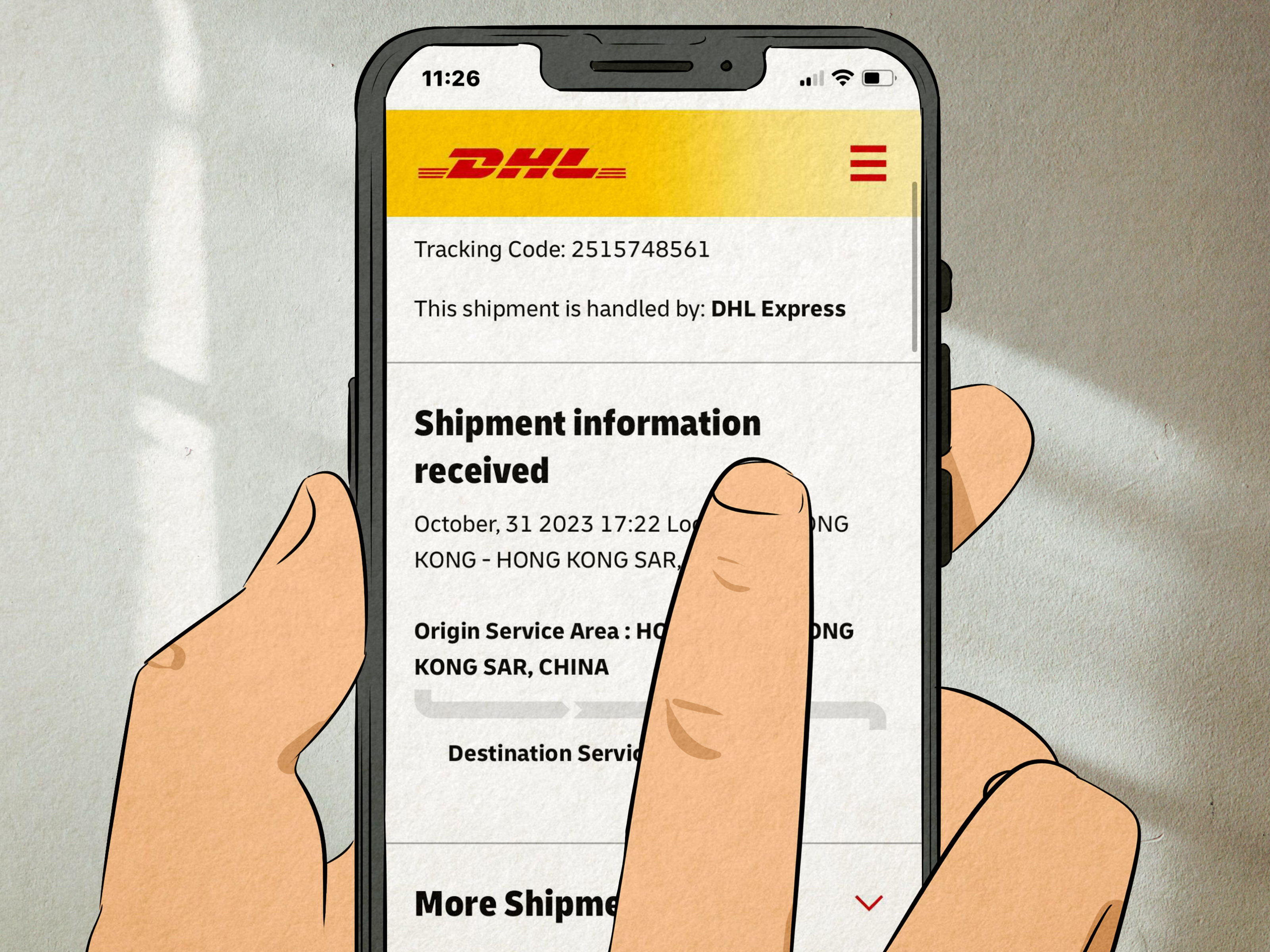
DHL Shipment Information Received
DHL may show limited tracking until the shipment reaches a DHL facility. That is why some international or e-commerce shipments seem quiet early on. Silence is annoying, but it is not always suspicious.
Signs You Should Worry
Most pre-shipment updates are harmless. Still, a few red flags deserve attention.
- The package has been in pre-shipment for more than several business days.
- The seller insists it shipped, but cannot confirm pickup or drop-off.
- The item was supposed to be a fast service, but tracking never receives a first scan.
- The merchant has poor reviews specifically mentioning fake labels or delayed handoffs.
- The package is time-sensitive and the expected window has clearly passed.
In those cases, contact the seller first. Carriers often tell customers to contact the shipper when the tracking only shows label creation and no acceptance scan. That makes sense because the shipper is the one who knows whether the package was actually handed over.
What to Do If Your Package Is Stuck in Pre-Shipment
For Buyers
- Wait one business day before panicking. I know. This is emotionally difficult.
- Check the order date and the ship date. Weekend and late-night labels can delay the first scan.
- Look for the shipping method. Economy services often move slower than premium ones.
- Contact the seller after a few business days. Ask whether the package was physically dropped off or picked up.
- Request proof of handoff if needed. A receipt, pickup confirmation, or internal fulfillment confirmation can help.
- Keep an eye on carrier updates. Sometimes the next scan appears suddenly at a regional hub.
For Sellers
- Do not send “your package shipped” emails too early if the parcel is still in your workspace.
- Schedule carrier pickups consistently or drop packages off the same day when possible.
- Use manifests or SCAN forms when appropriate so batch shipments are easier to process.
- Communicate realistic fulfillment times before customers start imagining conspiracies.
- Monitor labels that show no acceptance scan after several days and follow up fast.
Common Myths About Pre-Shipment
Myth 1: Pre-Shipment Means the Package Is Already on the Truck
Nope. It often means the paperwork exists before the movement does.
Myth 2: Pre-Shipment Always Means the Seller Lied
Also no. Sometimes the seller packed it, scheduled pickup, and the first scan simply has not happened yet.
Myth 3: The Delivery Estimate Starts the Moment the Label Is Created
Not reliably. Transit estimates make more sense after carrier acceptance.
Myth 4: No Tracking Updates Means No Movement
Not always. Missed scans and low-visibility handoff stages are real things in shipping.
Realistic Examples
Example 1: Small Etsy Shop
You order on Friday night. The seller prints the label on Saturday morning. USPS pickup is Monday. Your tracking page says pre-shipment all weekend. Annoying? Yes. Abnormal? Not really.
Example 2: Big Retailer Using a Shipping Partner
You get a tracking number quickly, but the package moves through a consolidator before USPS gets it. The tracking page looks sleepy for two days, then suddenly wakes up with multiple scans at once.
Example 3: Missed Acceptance Scan
The seller drops the box off, but the initial scan is missed. You see pre-shipment until the next facility scans it. This creates the classic “it was stuck, then suddenly halfway across the state” moment.
FAQ: What People Ask Most
Is pre-shipment the same as pre-transit?
Usually yes. Many shipping platforms use pre-transit as a broader label for the same stage: a label exists, but the carrier has not fully processed the package yet.
Can a package be delivered without ever leaving pre-shipment?
It is uncommon, but tracking gaps do happen. More often, though, the package will receive a later scan before delivery.
Should I contact the carrier or the seller?
If the status only shows label creation and no first scan, start with the seller. They control the handoff.
Does pre-shipment mean my package is lost?
Usually no. It means the carrier has not clearly confirmed possession yet. Lost is a much bigger word, and pre-shipment alone is not enough to use it.
Why did I get a tracking number before the package shipped?
Because merchants often create labels before pickup or drop-off. That generates tracking immediately.
Experiences Buyers and Sellers Commonly Have With Pre-Shipment
One of the most common buyer experiences goes like this: you place an order, get a shipping confirmation email within hours, feel wildly productive for choosing two-day shipping, and then watch the tracking page sit in pre-shipment like it has entered a vow of silence. At that point, most people assume one of two things: either the seller never sent it, or the carrier has lost it before even starting. In reality, the more ordinary explanation is that the label was created quickly, but the package is still waiting for a pickup, a drop-off, or a first scan.
Small-business sellers deal with this all the time. A shop owner may spend the morning printing labels, the afternoon packing boxes, and the evening finishing orders that are scheduled for next-day pickup. From the seller’s point of view, the shipment process is already in motion. From the buyer’s point of view, absolutely nothing is happening except emotional damage. That mismatch is what makes pre-shipment so frustrating.
Another common experience happens with batch shipping. A seller drops off ten or twenty packages at once, assumes everything is fine, and later discovers that a few of them never received an acceptance scan. Customers for those particular orders start sending messages like, “Hi, just checking in,” which everyone knows is customer-service code for, “I am trying very hard to remain polite.” Then, a day later, the package finally gets scanned at a regional facility and the problem largely solves itself.
Cross-border orders create even more drama. A buyer may see a tracking number generated early, then nothing for a stretch while the shipment moves through an export process, a handoff partner, or a consolidation step. To the customer, it looks frozen. To the logistics chain, it may simply be between systems. This is why international shoppers often have to be a little more patient, even when that patience feels handcrafted by evil wizards.
There is also the retailer side of the story. Many stores learned the hard way that customers interpret “tracking number received” as “box is in motion.” When those two things are separated by a day or two, support tickets spike. The best merchants solve this by being honest: they explain that the label has been created, the order is being prepared, and the carrier scan will appear after pickup. Clear communication does not make the package move faster, but it does lower the chance that everyone involved starts writing angry emails before lunch.
So the most useful real-world lesson is this: pre-shipment is often a timing issue, not a disaster. It can be a sign of normal fulfillment lag, a missed scan, a partner handoff, or a late pickup. If it lasts too long, absolutely follow up. But if you just got the tracking number and the carrier has not scanned the package yet, the smartest move is usually to give it a bit of breathing room before assuming your purchase has vanished into the retail afterlife.
Final Thoughts
If you remember only one thing from this article, make it this: pre-shipment means the label is real, but the trip may not have truly started yet.
That status is not a delivery promise. It is not proof of disaster either. It is the awkward waiting room between order fulfillment and carrier acceptance. Sometimes the package moves fast after that. Sometimes it needs another business day, a pickup, or a scan to get the show on the road.
So when you see pre-shipment, do not assume the worst. Read the timing, consider the shipping service, think about weekends or holidays, and contact the seller if the status drags on too long. In shipping, the first scan tells the real story. Until then, your package may simply be standing backstage, adjusting its label, and preparing for its big entrance.