Every 3D printer owner eventually learns that a printer is not really a machine. It is a tiny mechanical orchestra with belts, motors, bearings, heaters, fans, firmware, and one deeply dramatic nozzle. When everything is tuned well, the orchestra plays a clean symphony of melted plastic. When it is not, you get ringing, ghosting, corner blobs, strange vibrations, and sounds that make your printer seem like it swallowed a bowl of breakfast cereal. Snap. Crackle. Please no pop.
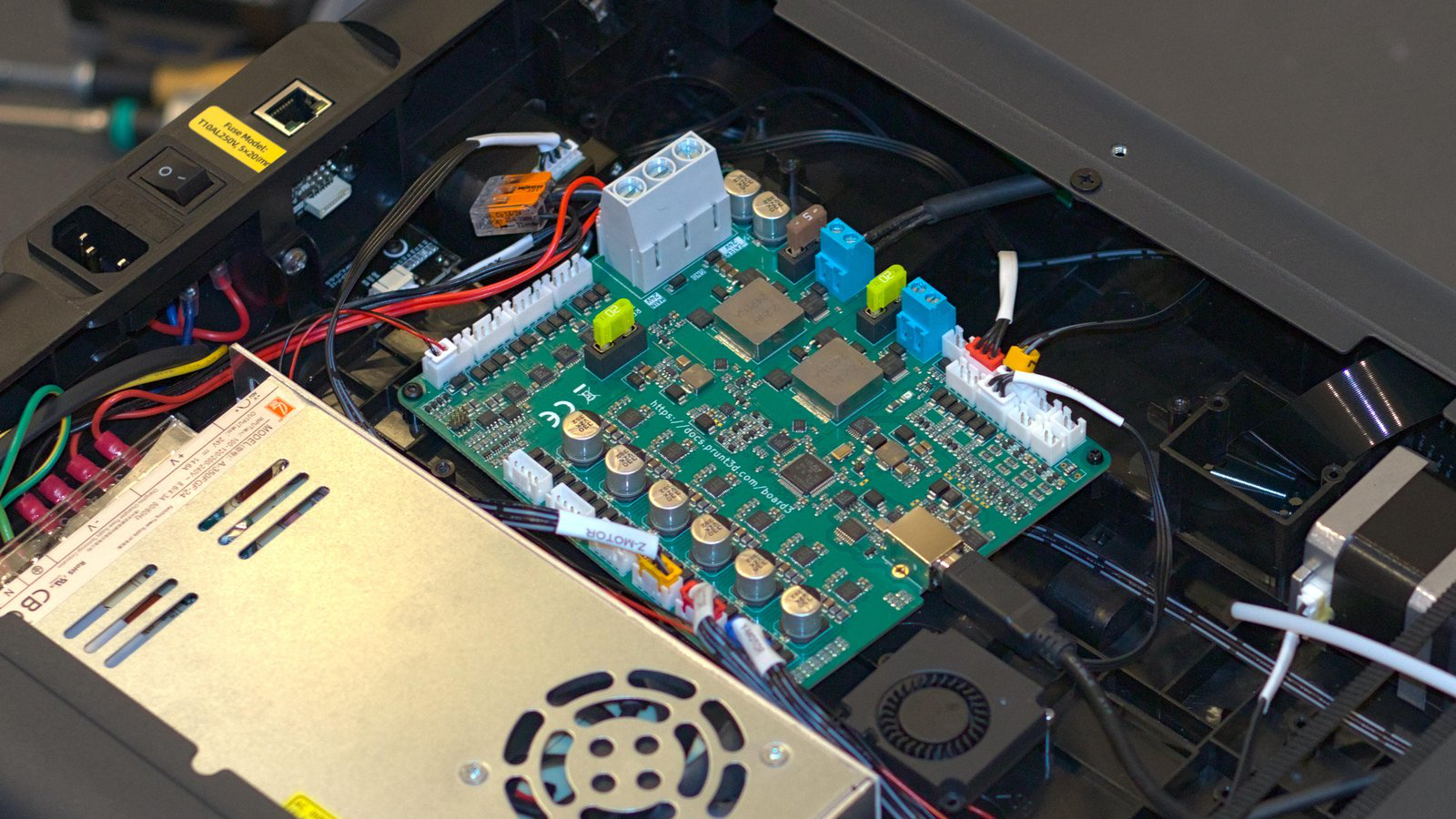
That is where Prunt printer firmware enters the conversation. Prunt is an open-source 3D printer motion control system designed to give makers deeper control over the way a printer moves. Instead of treating motion as a simple “go fast, stop fast, hope the frame survives” problem, Prunt focuses on smoother physical movement. Its most interesting idea is the ability to control not only velocity and acceleration, but also jerk, snap, and crackle: higher-order motion limits that affect how abruptly movement changes.
For anyone trying to improve 3D printer firmware, reduce ringing artifacts, increase speed, and keep hardware from shaking like a shopping cart with one cursed wheel, this matters. Prunt is not simply another checkbox in the long firmware debate between Marlin, Klipper, RepRapFirmware, and newer experimental systems. It is a different way of thinking about motion control, especially for fast FFF and FDM printers where quality depends on controlling tiny mechanical errors before they become visible on the printed part.
What “Snap” and “Crackle” Actually Mean in 3D Printer Motion
In everyday language, snap and crackle are the noises your printer makes when something is loose, wet filament is popping, or the toolhead is doing a tiny tap dance. In motion control, however, these words have mathematical meaning. Velocity describes how fast the printhead moves. Acceleration describes how quickly that velocity changes. Jerk describes the change in acceleration. Snap and crackle go even deeper, describing higher-order changes in motion.
Why should a hobbyist care? Because printers are physical objects, not video game cursors. A toolhead has mass. Belts stretch. Frames flex. Motors vibrate. When firmware asks the machine to change acceleration too suddenly, the printer cannot respond perfectly. It overshoots, shakes, resonates, or leaves tiny echoes on the print surface. These echoes are often called ringing, ghosting, or rippling.
Traditional motion profiles used by many 3D printer firmware systems rely heavily on trapezoidal velocity curves. These profiles are simple and effective, but they can ask the machine to change acceleration abruptly. That sudden change may be mathematically convenient, but mechanically it is like asking someone carrying a full tray of soup to sprint, stop, and turn left. Technically possible? Maybe. Clean? Absolutely not.
Prunt’s approach is designed to smooth out those demands. By giving users independent control over velocity, acceleration, jerk, snap, and crackle, it aims to reduce the shocks that excite printer resonance. The goal is not only speed. The goal is speed that does not make your printer sound like it is negotiating with gravity in a language nobody speaks.
How Prunt Printer Firmware Is Different
The most talked-about feature of Prunt printer firmware is its more advanced motion profile. Instead of using a basic three-phase trapezoidal profile, Prunt uses a much smoother multi-phase approach. In practical terms, that means the motion command sent to the printer is less abrupt. The printer is asked to move in a way that better respects the physical limits of the machine.
1. Smoother Motion Profiles
Many popular motion controllers focus on velocity and acceleration. That works, but it does not always control how sharply acceleration begins or ends. Prunt goes further by shaping additional motion derivatives. This smoother approach can help reduce vibration, especially during fast direction changes, small perimeter movements, and repeated cornering.
Think about printing a calibration cube. The letter on the face, the edges, and the corners all require quick changes in direction. If the printer frame vibrates after each move, those vibrations show up as faint repeated lines on the surface. A smoother motion profile helps reduce the energy that creates those vibrations in the first place.
2. Independent Control of Velocity, Acceleration, Jerk, Snap, and Crackle
Prunt’s big party trick is not just “go smoother.” It gives advanced users separate controls for different motion limits. That matters because not every printer has the same mechanical personality. A rigid CoreXY machine with linear rails behaves differently from a bedslinger with a heavy moving bed. A lightweight direct-drive toolhead behaves differently from a chunky setup with extra fans, sensors, and a hotend that looks like it was assembled by a small robot committee.
By tuning these limits, users can reduce vibration without simply lowering every speed setting into sleepy turtle mode. This is important for high-speed 3D printing, where the best results often come from balancing acceleration, print speed, extrusion behavior, and resonance control.
3. Advanced Corner Blending
Corners are where many printers reveal their secrets. A printer can move beautifully in a straight line, then wobble when it reaches a sharp change in direction. Standard firmware often handles corners by slowing down, using junction deviation, or maintaining a certain cornering velocity. Those methods can work, but abrupt directional changes still create mechanical stress.
Prunt uses advanced corner blending to make turns smoother. Instead of forcing the printhead through harsh angular changes, it can blend corners using carefully controlled curves. This helps reduce sudden acceleration changes while still preserving the intended shape of the print. The benefit is especially noticeable in parts with many corners, text, decorative surfaces, mechanical brackets, and anything that makes the toolhead repeatedly say, “Left! Right! Left! Right!” like a tiny plastic soldier.
4. Pressure Advance Support
Pressure advance is one of the most useful firmware features for improving extrusion quality. It compensates for pressure changes inside the hotend and nozzle. Without pressure advance, the printer may over-extrude at corners, under-extrude after fast moves, or leave blobs where the nozzle slows down.
Prunt supports pressure advance in a way that fits its smoother motion philosophy. Since Prunt’s motion profiles are designed to avoid abrupt changes, pressure advance can work without introducing unnecessary sudden changes in movement. For users, that means better corner quality, fewer blobs, cleaner walls, and less of that “why does this cube have acne?” look.
Prunt vs. Klipper and Marlin: A Practical Comparison
It would be unfair to discuss Prunt without mentioning Klipper and Marlin. Marlin has been the dependable workhorse of open-source 3D printer firmware for years. It runs on a wide range of boards and powers countless machines. Klipper, meanwhile, became popular because it moved much of the computation to a host computer, making configuration easier and enabling powerful features like input shaping and pressure advance.
Prunt is newer and more experimental by comparison. That means it may appeal most to advanced users, firmware hobbyists, motion-control nerds, and makers who enjoy tuning machines almost as much as printing things. If Marlin is the reliable family sedan and Klipper is the tuned sports car with a laptop in the passenger seat, Prunt is the prototype electric race car with a very serious engineer saying, “Actually, we can make the corners smoother.”
Where Klipper Shines
Klipper is widely loved because it is flexible, fast, and easier to configure than rebuilding firmware from scratch every time you change hardware. Its input shaping feature helps reduce ringing by measuring or estimating printer resonance, then modifying the motion command to cancel vibration. Its pressure advance system is also well documented and commonly used by high-speed printing enthusiasts.
Where Marlin Still Wins
Marlin remains a strong choice for users who want broad compatibility, mature support, and stable operation on many common machines. Many printers ship with Marlin or a Marlin-based firmware. For users who simply want to print reliably without building a custom motion-control stack, Marlin still makes sense.
Where Prunt Gets Interesting
Prunt’s appeal is its deeper motion model. Instead of focusing mainly on reducing vibration after it appears, Prunt tries to command smoother movement from the start. Its support for higher-order motion limits and advanced corner blending may allow printers to move quickly while putting less shock into the frame. In theory, that can mean cleaner surfaces, quieter motion, less wear, and better print consistency.
Why Motion Control Matters for Print Quality
Print quality is not only about nozzle temperature, bed leveling, and filament brand. Those things matter, of course. But motion control is the invisible hand guiding every wall, corner, infill line, and travel move. When motion is poorly controlled, even perfect extrusion cannot save the part.
Common motion-related defects include ringing near sharp corners, uneven walls, bulging edges, inconsistent layer lines, and noisy movement. Some users blame the slicer. Others blame the filament. Some blame Mercury retrograde, which is less scientific but emotionally satisfying. In reality, the issue is often mechanical resonance triggered by aggressive acceleration or poor motion planning.
Better firmware cannot magically fix a loose belt, a wobbly frame, or a toolhead held together with hope and two zip ties. However, firmware can reduce the forces that make those weaknesses worse. That is why Prunt’s motion philosophy is important. It aims to make the printer behave more gracefully before vibration becomes a print defect.
Real-World Example: Printing a Sharp-Cornered Functional Part
Imagine printing a small electronics enclosure with vent slots, screw posts, and square edges. This is the kind of model that exposes motion problems quickly. The corners may show ghosting. The screw posts may have uneven walls. The vent slots may create tiny repeated ripples because the toolhead changes direction over and over.
With basic settings, the quick directional changes can excite the printer frame. The nozzle reaches each corner, slows, accelerates again, and sends energy through belts, rails, and the gantry. With Prunt-style smoother motion, the printer can transition through those movements with less abrupt force. The result may be less ringing, cleaner edges, and fewer visible artifacts around repeated features.
This does not mean every print becomes perfect. You still need correct belt tension, a rigid frame, good extrusion calibration, dry filament, and sensible slicer settings. But when the machine is mechanically healthy, better firmware motion planning can unlock quality that rougher motion profiles leave behind.
Noise, Vibration, and the “Breakfast Cereal” Problem
The phrase “snap and crackle” is funny, but printer noises are useful clues. A crackling sound from the nozzle may indicate wet filament. Moisture inside filament can turn into steam in the hotend, creating popping sounds and poor surface texture. That problem is solved with filament drying, not firmware tuning.
Mechanical snap or clicking may come from an extruder skipping steps, a nozzle clog, excessive pressure, or too much speed for the hotend’s flow capacity. Rattling may come from loose screws, panels, cable chains, spool holders, or tools left on the printer because apparently the workbench was not chaotic enough.
Firmware-related vibration sounds are different. They often appear during fast direction changes, travel moves, sharp corners, or high acceleration. The printer may buzz, shake, or sing at certain speeds. Prunt’s smoother motion control can help reduce these vibration patterns by avoiding harsh acceleration changes and giving users finer control over movement limits.
How to Think About Tuning Prunt Firmware
Prunt is not a magic “quality button.” Like any advanced firmware, it rewards careful tuning. The best approach is methodical: change one setting at a time, print test objects, compare results, and resist the ancient maker temptation to change twelve settings at once and then wonder which one caused the printer to develop a new personality.
Start With Mechanical Health
Before tuning firmware, check the printer itself. Belts should be properly tensioned. Wheels or rails should move smoothly. The frame should be square. The toolhead should not wobble. The bed should be stable. Fans and ducts should not be loose. Firmware can soften motion, but it cannot turn a shaky frame into a granite monument.
Use Conservative Speeds First
Begin with moderate velocity and acceleration. Confirm that prints are dimensionally accurate and extrusion is consistent. Once the baseline is stable, gradually increase speed and acceleration while watching for ringing, skipped steps, noise, or corner defects.
Tune Motion Limits Carefully
The point of Prunt’s extra controls is not to max everything out. It is to find a motion profile that matches your printer’s real-world stiffness, mass, motor power, belt behavior, and intended print quality. Lower snap and crackle limits may smooth movement, but overly conservative values can reduce speed. Aggressive values may print faster, but they can reintroduce vibration.
Combine Motion Tuning With Extrusion Tuning
Motion and extrusion are partners. Clean movement will not help if the nozzle is over-extruding. Perfect extrusion will not hide severe ringing. Tune flow, temperature, retraction, and pressure advance along with motion settings. When all of these work together, prints start looking less like “prototype from a garage at 2 a.m.” and more like “small-batch manufactured part from someone who owns a caliper and uses it responsibly.”
Benefits of Prunt Printer Firmware for Advanced Makers
The biggest benefit of Prunt printer firmware is control. It gives experienced users more ways to shape machine behavior. For custom printers, high-speed builds, experimental motion systems, and users chasing cleaner surfaces, that control can be valuable.
Another benefit is reduced vibration. Smoother motion can help reduce ringing artifacts, improve surface finish, and make high-speed printing more practical. This is especially relevant for CoreXY printers, lightweight gantries, and machines designed for fast acceleration.
Prunt may also help reduce mechanical stress. Abrupt motion changes can be hard on belts, pulleys, bearings, and frames. By smoothing the way the printer accelerates and changes direction, firmware can potentially reduce harsh impulses. That does not eliminate wear, but it may make the printer feel less like it is trying to escape the table.
Finally, Prunt contributes to the open-source firmware ecosystem. Competition and experimentation are good for makers. Marlin pushed accessibility. Klipper pushed modern tuning and speed. Prunt pushes deeper motion planning. Even users who never install it may benefit if its ideas influence future firmware development.
Limitations and Things to Watch
Prunt is exciting, but it is not the safest recommendation for every beginner. Newer firmware systems may have smaller communities, fewer tutorials, and less printer-specific documentation. If you own a common consumer printer and want the easiest path to reliable prints, a mature Marlin or Klipper setup may be more practical.
Hardware support is another consideration. Firmware is only useful if it works well with your board, drivers, sensors, heaters, fans, and display needs. Before switching any printer to a new firmware stack, confirm compatibility, understand the flashing process, and make backups of working configurations.
There is also a learning curve. Terms like jerk, snap, crackle, corner blending, pressure advance, resonance, and motion derivatives can make firmware tuning feel like studying physics while your printer stares at you judgmentally. The good news is that these ideas become clearer when tied to visible print defects. Ringing means vibration. Blobs mean extrusion pressure problems. Harsh motion means the machine is being asked to change too suddenly. The vocabulary is fancy, but the goal is simple: cleaner prints with less drama.
Experience-Based Notes: Living With the Snap, Crackle, and Firmware Rabbit Hole
Anyone who has spent time tuning 3D printers knows that firmware upgrades are never just firmware upgrades. They begin with noble intentions: “I will improve motion control.” Three hours later, you are reading about step timing, belt resonance, and whether a tiny ripple on a Benchy hull is caused by acceleration, input shaping, pressure advance, loose screws, or the emotional state of the filament spool.
The first lesson from real printer tuning is that sounds matter. A smooth printer has a consistent rhythm. It may hum, whir, or chirp, but the noises feel predictable. When a printer starts snapping, clicking, or crackling, the sound is usually telling you something. Wet filament produces tiny pops at the nozzle. Extruder skipping creates sharper clicks. Loose parts rattle during travel moves. Resonance shows up as buzzing or shaking at certain speeds. Learning to separate these noises saves time and prevents the classic mistake of changing firmware settings when the real problem is a loose pulley.
The second lesson is that speed exposes weakness. A printer may look perfectly tuned at 60 mm/s, then turn into a nervous washing machine at 180 mm/s. That does not mean the printer is bad. It means the motion system has limits. Firmware like Prunt is interesting because it does not simply ask, “How fast can we move?” It asks, “How smoothly can we get there?” That question matters more than raw speed. A fast ugly print is just a failed print that arrived early.
The third lesson is that corners are brutally honest. Straight walls can hide problems. Corners reveal them. If pressure advance is wrong, corners get blobs or thinning. If acceleration is too aggressive, corners create ringing. If the frame is flexible, repeated direction changes leave echoes. When testing Prunt-style motion control, sharp-corner calibration models, small boxes, and parts with text or slots are more useful than decorative prints with organic curves. A dragon may look impressive, but a plain cube will tell the truth like a tiny plastic auditor.
The fourth lesson is to keep notes. Firmware tuning without notes is like cooking without measuring and then trying to recreate the one perfect pancake. Record velocity, acceleration, jerk, snap, crackle, pressure advance, input shaping values if used elsewhere, filament type, nozzle size, and slicer settings. Take photos of test prints under the same lighting. Label them. Future you will be grateful, and present you will look suspiciously organized.
The fifth lesson is patience. Advanced firmware can make a printer feel dramatically better, but only after the boring basics are handled. Tighten the belts. Square the frame. Dry the filament. Calibrate extrusion. Check the nozzle. Then tune motion. Prunt printer firmware may offer a more refined motion model, but it still depends on a mechanically healthy printer. Smooth commands sent to a loose machine are like giving elegant dance instructions to someone wearing roller skates on a trampoline.
In daily use, the best firmware setup is the one that gives you confidence. You press print, the first layer behaves, the corners look clean, and the printer does not sound like it is trying to communicate with dolphins. Prunt’s deeper control over motion makes it especially attractive for curious makers who enjoy understanding why prints fail and how machines move. It is not just about silencing snap and crackle. It is about turning chaotic motion into controlled motion, and controlled motion into better parts.
Conclusion
Keeping Snap And Crackle Under Control With Prunt Printer Firmware is really about understanding that print quality begins before plastic leaves the nozzle. It begins in the motion plan. Prunt’s advanced handling of velocity, acceleration, jerk, snap, crackle, corner blending, and pressure advance gives makers a fresh way to reduce vibration and improve high-speed 3D printing results.
For beginners, Prunt may feel more technical than familiar firmware options. For experienced users, it offers a fascinating path toward smoother motion and cleaner prints. It will not replace good hardware, dry filament, or careful calibration, but it can help a capable machine move with more grace. And in 3D printing, grace matters. Because when your printer stops shaking like a caffeinated toaster, your parts start looking a whole lot better.
Note: This article is original, publication-ready HTML content based on real 3D printer firmware concepts, motion-control principles, and current information about Prunt, without source-link clutter or citation placeholders.