Internal links are the quiet little hallways of your website. They do not usually get the glamour of backlinks, the drama of algorithm updates, or the red-carpet treatment of “AI search optimization.” Yet when internal links are done well, they help search engines understand your site, guide users toward better answers, and move authority from your strongest pages to the pages that deserve more attention.
Think of your website as a city. Your homepage is downtown, your category pages are major roads, your blog posts are neighborhoods, and your product or service pages are the shops people actually want to visit. Internal links are the streets, signs, bridges, and shortcuts. Without them, visitors wander around like tourists with no phone battery. Search engine crawlers do the same, except with less complaining and more indexing.
This guide explains internal links SEO best practices in the spirit of Moz-style practical SEO: clear structure, useful anchor text, crawlable pages, strategic link equity, and a user-first approach. Whether you run a small blog, an ecommerce store, a SaaS website, or a content-heavy publication, internal linking is one of the highest-impact SEO improvements you can control directly.
What Are Internal Links?
Internal links are hyperlinks that point from one page on your website to another page on the same website. A link from your “SEO services” page to your “technical SEO audit checklist” page is an internal link. A link from a blog post to a related guide is an internal link. Navigation menus, breadcrumbs, related posts, sidebar links, footer links, and contextual links inside body copy can all be internal links.
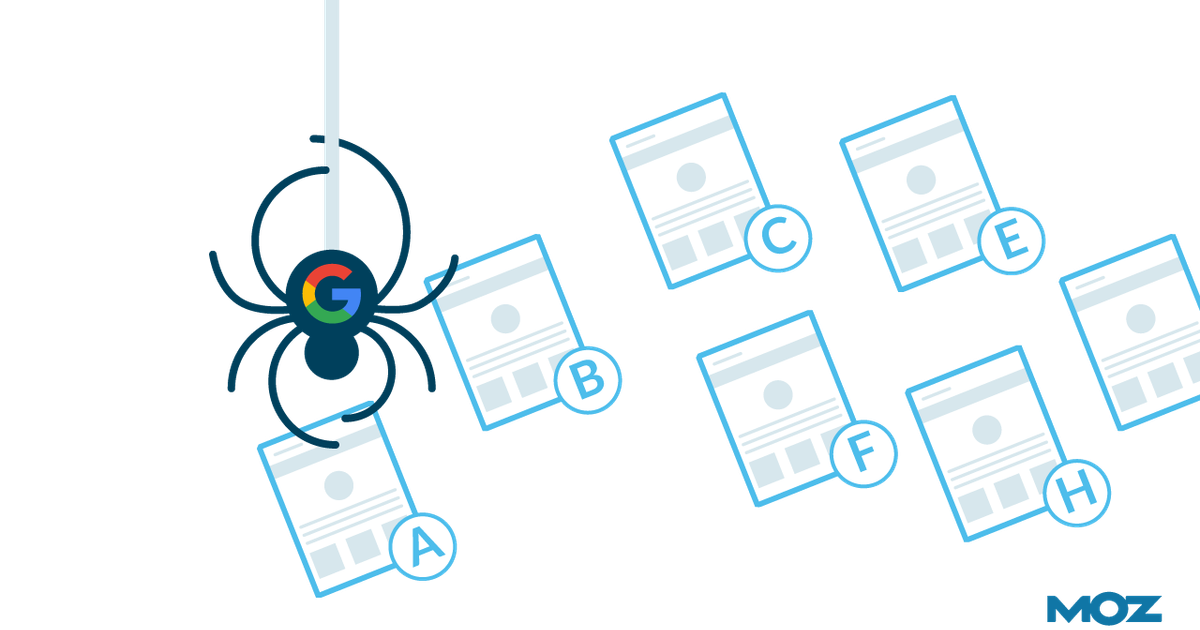
In SEO, internal links help with three major things: discovery, context, and authority flow. Search engines use links to find pages. They use anchor text and surrounding copy to understand what linked pages are about. They also use links as signals of importance. If many relevant pages link to one page, that page starts looking more important within your site architecture.
Why Internal Linking Matters for SEO
Internal linking matters because search engines do not magically understand every page on your website the moment you publish it. They crawl the web by following links. If an important page has no internal links pointing to it, it may become an orphan page: technically alive, but socially abandoned, like a landing page sitting alone at lunch.
Good internal links help Google, Bing, and other search engines discover your important URLs. They also help crawlers understand which pages are related, which pages are primary resources, and which pages support a broader topic. This is especially important for topic clusters, where one pillar page covers a broad subject and several supporting articles explore subtopics in more detail.
For users, internal links reduce friction. A reader who lands on your blog post about “how internal links work” may also need your article about “anchor text best practices,” your glossary page for “link equity,” or your service page for SEO consulting. If you make that next step easy, users stay longer, explore more, and trust your site more. That is not just good SEO. That is good hospitality.
Internal Links and Link Equity
Link equity is the value or authority passed through links. External backlinks often get the most attention because they bring authority from other websites. But internal links help distribute that authority across your own site. If one blog post has earned backlinks, traffic, and trust, linking from that post to a related but underperforming page can help that page gain visibility.
For example, imagine your website has a popular guide called “Complete Beginner’s Guide to SEO.” It earns links from other blogs and gets steady organic traffic. Inside that guide, you can naturally link to deeper pages such as “technical SEO checklist,” “keyword research template,” “internal linking strategy,” and “SEO reporting dashboard.” Those links help users continue learning and help search engines understand that these pages belong to the same SEO knowledge hub.
The goal is not to spray links everywhere like digital confetti. The goal is to pass relevance and authority intentionally. A link should exist because it helps the reader and reinforces a meaningful relationship between two pages.
Best Practice 1: Use Descriptive Anchor Text
Anchor text is the clickable text in a link. It is one of the clearest internal linking signals you control. Strong anchor text tells users and search engines what to expect when they click.
Weak anchor text examples
- Click here
- Read more
- This page
- Learn more
Better anchor text examples
- internal linking audit checklist
- technical SEO guide for ecommerce sites
- keyword mapping template
- how to fix orphan pages
Descriptive anchor text improves accessibility, usability, and SEO. A reader scanning your page should understand the destination before clicking. Search engines also use anchor text as a contextual clue. That does not mean every anchor should be stuffed with exact-match keywords. Please do not turn your paragraph into a suspicious robot chant. Natural, concise, relevant anchor text is the sweet spot.
Best Practice 2: Link to Important Pages From Relevant Content
Not every internal link has equal value. A contextual link from a highly relevant article is usually more helpful than a random footer link buried next to “Privacy Policy” and “Careers.” Context matters.
If you publish a blog post about on-page SEO, it makes sense to link to pages about title tags, meta descriptions, internal links, image optimization, and content structure. It probably does not make sense to link to a page about office snack policies unless your SEO strategy is powered by granola bars.
Start by identifying your priority pages. These may include service pages, product pages, high-converting blog posts, cornerstone guides, category pages, or comparison pages. Then find relevant pages that can link to them naturally. The best internal links feel like helpful recommendations, not forced detours.
Best Practice 3: Build a Logical Site Structure
A strong internal linking strategy begins with a clear site structure. Ideally, users and crawlers should be able to move from broad pages to specific pages without getting lost. For many websites, a simple hierarchy works well:
- Homepage
- Main category or service pages
- Subcategory pages
- Detailed blog posts, product pages, or resources
This structure helps search engines understand which pages are central and which pages are supporting resources. It also helps distribute authority more efficiently. Important pages should not be buried twelve clicks deep. If a page matters to your business, make it reachable through crawlable internal links.
Breadcrumbs can also help. They show users where they are within your site and provide additional internal links back to higher-level pages. For ecommerce stores, large blogs, and resource libraries, breadcrumbs are not just tidy; they are practical.
Best Practice 4: Support Topic Clusters
Topic clusters are one of the most effective ways to organize internal links. A topic cluster usually includes a pillar page and several supporting pages. The pillar page covers a broad subject, while cluster pages answer specific questions or subtopics.
For example, a pillar page about “Internal Linking for SEO” could link to supporting articles such as:
- How to choose anchor text
- How to find orphan pages
- How many internal links should a page have?
- Internal linking for ecommerce SEO
- How to audit internal links with SEO tools
Each supporting article should link back to the pillar page and to other closely related resources when useful. This creates a strong semantic relationship across the cluster. It tells search engines, “We do not just have one lonely article on this topic. We have a whole neighborhood.”
Best Practice 5: Fix Orphan Pages
An orphan page is a page that exists on your site but has no internal links pointing to it. Search engines may still find it through XML sitemaps or external links, but relying on that is risky. Important pages should be discoverable through your internal linking structure.
Common orphan pages include old blog posts, campaign landing pages, newly published articles, outdated product pages, and pages created during redesigns. Use tools such as Google Search Console, Screaming Frog, Semrush, Ahrefs, Moz Pro, or your CMS reports to compare crawlable URLs against internally linked URLs.
When you find an orphan page, ask whether it deserves to exist. If it is useful, link to it from relevant pages. If it is outdated, merge it, redirect it, or remove it. Not every orphan needs adoption. Some need a dignified retirement.
Best Practice 6: Avoid Broken Internal Links
Broken internal links create a poor user experience and waste crawl resources. They usually happen when pages are deleted, URLs are changed, redirects are removed, or site migrations are handled with the grace of a shopping cart with one bad wheel.
Run regular crawls to find internal links returning 404 errors, redirect chains, server errors, or blocked destinations. Fix broken links by updating the href to the correct live page, restoring the missing page, or redirecting the old URL to the most relevant replacement.
A clean internal linking system helps search engines crawl your site more efficiently. It also tells users, “Yes, adults are maintaining this website.” That matters more than many brands realize.
Best Practice 7: Keep Internal Links Crawlable
Search engines need to access your links. That means important internal links should generally use standard HTML anchor tags with crawlable href attributes. Links hidden behind scripts, forms, blocked resources, or complicated interactions may not pass the same discovery value.
Your key pages should not depend only on search forms, infinite scroll, or JavaScript-generated navigation. Modern search engines are better at rendering JavaScript than they used to be, but simpler is still safer. If a page matters, make sure it is linked clearly in HTML from another crawlable page.
Best Practice 8: Use Navigation Links Strategically
Main navigation sends strong signals about your most important areas. If a page appears in your primary navigation, you are telling users and search engines that it matters. Choose navigation links carefully.
For a service business, primary navigation might include “Services,” “Case Studies,” “Pricing,” “Blog,” and “Contact.” For an ecommerce site, it might include top product categories. For a publisher, it might include major content themes.
Avoid stuffing your navigation with every page you own. A navigation menu with 87 links is not a menu; it is a cry for help. Keep it useful, organized, and aligned with user intent.
Best Practice 9: Add Contextual Links Inside Content
Contextual links are internal links placed naturally within the main body of a page. These are often the most valuable internal links because they are surrounded by relevant text and appear exactly when the reader needs them.
For example, in an article about content audits, you might write: “Before updating old articles, review your internal linking structure to make sure priority pages receive enough contextual support.” The anchor text “internal linking structure” gives both users and search engines a clear signal about the linked page.
Contextual links should be helpful, not distracting. If every sentence has three links, readers may feel like they are walking through a room full of pop-up ads wearing tap shoes. Link where it adds value.
Best Practice 10: Do Not Overdo It
There is no universal perfect number of internal links per page. A 600-word blog post does not need the same number of links as a 5,000-word ultimate guide. The right number depends on content length, user intent, site size, and topic complexity.
Instead of chasing a magic number, ask better questions:
- Does this link help the reader?
- Is the destination highly relevant?
- Does the anchor text set accurate expectations?
- Am I linking to pages that matter?
- Would this page feel spammy to a human?
If the answer to that last question is “yes,” step away from the hyperlink button.
Best Practice 11: Update Old Content With New Internal Links
One of the easiest internal linking wins is updating old content after publishing new pages. Most teams publish a new article and then forget to link to it from existing related content. That is like opening a new restaurant and not putting it on the map.
When you publish a new page, search your website for related topics. Add links from older pages that already receive traffic, backlinks, or impressions. This helps search engines discover the new page faster and gives users a path to fresh information.
A simple workflow works well: every time you publish a new article, add three to five relevant internal links pointing to it from existing pages, then add links from the new article to related resources. This small habit can compound into serious SEO value over time.
Best Practice 12: Prioritize User Intent
Internal linking should match the reader’s journey. Someone reading “What is SEO?” may need beginner-friendly definitions, examples, and next-step guides. Someone reading “enterprise technical SEO migration checklist” probably needs deeper resources, templates, or consulting options.
Internal links should guide users to the next logical action. On informational pages, that may mean linking to deeper educational content. On commercial pages, that may mean linking to case studies, demos, pricing, testimonials, or comparison pages. On ecommerce pages, that may mean linking to related categories, buying guides, or accessories.
The best internal linking strategy is not just about rankings. It is about helping people move confidently from question to answer to action.
Best Practice 13: Audit Internal Links Regularly
Internal linking is not a one-time project. Websites change. Content gets updated. Products disappear. URLs migrate. Teams publish new pages. Old pages become outdated. Without regular audits, your internal linking structure slowly turns into a junk drawer.
A practical internal link audit should review:
- Broken internal links
- Redirect chains
- Orphan pages
- Pages with too few internal links
- Important pages buried too deep
- Overused or vague anchor text
- Pages receiving many links but little value
- Pages with strong authority that could link to priority URLs
Tools can help, but judgment matters. A crawler can tell you that a page has 200 internal links. It cannot always tell you whether those links are useful, persuasive, or placed in a way humans appreciate.
Best Practice 14: Use Internal Links to Improve Conversions
Internal links are not only for search engines. They are also conversion tools. A blog post that ranks well can send qualified visitors to a product page, demo page, newsletter signup, or comparison guide. A case study can link to a related service page. A glossary page can link to a beginner guide. A buying guide can link to category pages.
For example, if your article “How to Choose SEO Software” attracts top-of-funnel visitors, you can link naturally to “SEO software pricing,” “SEO platform comparison,” or “request a demo.” The link should not feel like a sales ambush. It should feel like the next useful step.
Best Practice 15: Measure Internal Linking Performance
To understand whether your internal linking work is helping, track performance before and after changes. Look at organic impressions, rankings, clicks, crawl stats, indexed pages, engagement metrics, and conversions. Internal linking rarely works like a light switch. It is more like watering a plant. You may not see results the next morning, but neglect it long enough and things get crispy.
Useful metrics include:
- Organic traffic to linked pages
- Keyword ranking movement
- Number of internal links pointing to priority pages
- Click depth from the homepage
- Pages discovered but not indexed
- User engagement after clicking internal links
- Conversions assisted by content pages
Do not judge internal links only by ranking movement. A smart internal link may also improve navigation, reduce pogo-sticking, increase page views, or help users find conversion pages faster.
Common Internal Linking Mistakes
Using the Same Anchor Text Everywhere
Consistent anchor text is helpful, but robotic repetition can look unnatural. Use variations that still describe the destination accurately. For a page about internal link audits, anchors might include “internal link audit,” “audit your internal links,” “find broken internal links,” and “internal linking checklist.”
Linking Only to Top-Level Pages
Many websites link constantly to the homepage, contact page, and main services pages while ignoring deeper resources. Deep links help distribute authority and help users discover specific answers.
Ignoring Old Blog Posts
Old blog posts can be powerful internal linking sources, especially if they have backlinks or steady traffic. Updating them with relevant links can revive their value and support newer content.
Adding Links Without Strategy
Internal links should support site architecture, topic authority, and user journeys. Random linking creates clutter. Strategic linking creates clarity.
A Simple Internal Linking Workflow
Here is a practical workflow you can use without turning your SEO calendar into a 47-tab spreadsheet monster:
- List your most important pages.
- Group pages by topic or funnel stage.
- Find pages with traffic, backlinks, or authority.
- Add contextual links from strong pages to priority pages.
- Link supporting articles back to pillar pages.
- Fix broken links and redirect chains.
- Find and resolve orphan pages.
- Review anchor text for clarity and variety.
- Repeat monthly or quarterly.
This process keeps your internal linking system healthy while making your content ecosystem easier to crawl, understand, and use.
Internal Links SEO Best Practices Inspired by Moz Thinking
Moz has long emphasized practical SEO fundamentals: crawlability, relevance, authority, user experience, and measurable improvement. Internal linking fits perfectly into that framework because it touches all of those areas. A strong internal link is crawlable, relevant, descriptive, helpful, and aligned with the importance of the destination page.
The Moz-style way to think about internal links is simple: make your website easier for people and search engines to understand. Do not chase shortcuts. Do not create link patterns that only make sense to an SEO tool. Build a site where the best pages are easy to find, related ideas are connected, and users always have a sensible next step.
Experience-Based Insights: What Internal Linking Teaches You Over Time
After working with internal links across different types of websites, one lesson becomes obvious: internal linking looks simple until you actually audit a real site. On paper, it sounds easy. Add links from one page to another. Done. Pour coffee. Celebrate. In reality, websites are messy. Old campaigns leave behind forgotten landing pages. Blog categories multiply like rabbits. Product URLs change. Writers publish excellent articles that nobody links to. Developers redesign navigation and accidentally bury money pages three clicks deeper than before.
The first practical experience many SEO teams have is discovering that their most important pages are not always their most linked pages. A company may depend heavily on one service page for leads, yet that page receives fewer internal links than a two-year-old blog post about industry trends. This happens because websites grow organically. People add links casually, not strategically. An internal link audit forces the team to compare business value against link visibility.
Another lesson is that internal linking works best when content teams and SEO teams collaborate. Writers understand reader flow. SEOs understand crawl paths, anchor text, and priority pages. When both perspectives meet, internal links become more natural. Instead of awkwardly inserting a link because “the SEO person said so,” the writer can introduce the link as part of the article’s logic. The result reads better and performs better.
It is also common to see internal linking improvements produce gradual gains rather than overnight miracles. A page may start getting crawled more often. Impressions may rise first. Then rankings move. Then clicks increase. Sometimes the improvement is not dramatic for one page but meaningful across a cluster. Ten supporting articles that each improve slightly can create a noticeable lift for the whole topic area.
For ecommerce sites, internal linking often reveals product discovery problems. Popular guides may attract visitors who are ready to compare products, but the guide fails to link to category pages. Category pages may link to products but not to buying guides. Product pages may link to related products but not to educational resources that reduce buyer hesitation. Fixing these paths can improve both SEO and revenue.
For blogs and publishers, the biggest opportunity is usually refreshing older content. A strong archive can become a powerful internal linking engine. Old articles that still earn traffic can point readers to new guides, updated research, newsletters, tools, or commercial pages. This is one of the most underrated ways to make existing content work harder.
The most important experience-based rule is this: internal links should feel intentional. When a reader clicks, the destination should make sense. When a crawler follows the link, the relationship should be clear. When a marketer reviews the site, the structure should support business priorities. If an internal link does all three, it is doing its job beautifully.
Conclusion
Internal links are not just technical SEO housekeeping. They are the connective tissue of your website. They help search engines discover pages, understand topics, evaluate importance, and move through your content efficiently. They also help users find better answers, explore related resources, and take meaningful next steps.
The best internal linking strategy is clear, crawlable, relevant, and user-focused. Use descriptive anchor text. Link from strong pages to important pages. Build topic clusters. Fix orphan pages. Repair broken links. Keep navigation clean. Update old content. Measure results. Most importantly, treat internal links as part of the reader experience, not just an SEO checkbox.
When internal links are done well, your website stops feeling like a pile of separate pages and starts feeling like a smart, organized resource. Search engines appreciate that. Users appreciate it even more. And your future self, staring at a cleaner site audit, may even whisper, “Wow, we finally have our act together.”
Note: This article was written from synthesized SEO best practices and current guidance from reputable search and SEO resources, including Google Search Central, Bing Webmaster Guidelines, Moz-style SEO principles, Ahrefs, Yoast, Semrush, Screaming Frog, and Search Engine Land.