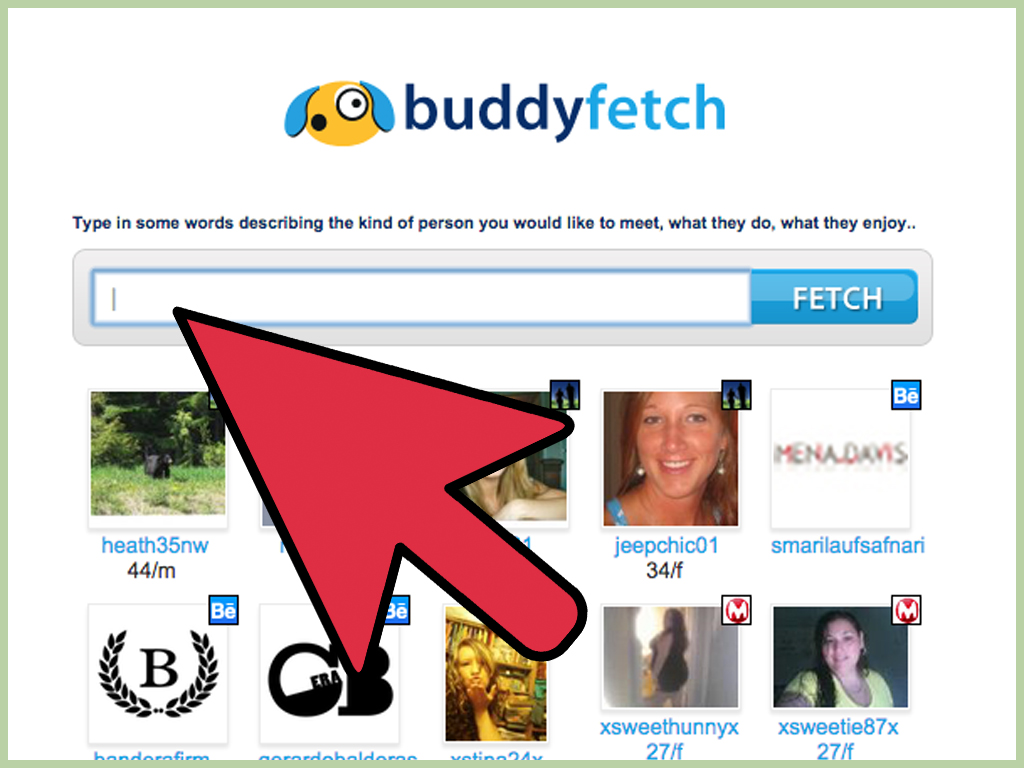
Losing touch with a friend rarely happens in one dramatic movie scene. More often, life quietly changes the address, retires an email account, replaces a phone number, and then waits ten years before making you wonder, “Whatever happened to Jordan from summer camp?” Fortunately, the internet can help you reconnectprovided you search methodically, verify what you find, and respect the other person’s privacy.
This guide explains how to find a long-lost friend online in five practical steps. You will learn how to organize old clues, use advanced search techniques, explore social networks, check public and historical records, verify identities, and send a first message that feels warm rather than alarming. No trench coat, corkboard, or wall of red string is required.
Before You Begin: Search With a Clear and Respectful Purpose
An online search for an old friend should be about reconnection, not surveillance. Use public, lawfully accessible information. Do not impersonate anyone, bypass privacy settings, pressure relatives for private details, or publish an address or phone number.
Define success realistically. It may mean finding a public profile, confirming the correct person, or asking a mutual acquaintance to forward your message. The best reunion begins with consent.
Step 1: Build a Friend-Finding Fact Sheet
Before opening twenty tabs, write down what you know. Search engines work best when you combine details that distinguish your friend from everyone sharing the same name.
List names and variations
Record the full name, middle initial, nickname, maiden or former married name, alternate spellings, and old usernames. “Katherine McDonnell” might appear as Kate, Katie, Kathryn, McDonald, or K. McDonnell.
Add useful context
Note the city, approximate age, graduation year, school, college, military branch, employer, team, club, neighborhood, and mutual friends. Use family names only as private cluesnot as information to expose.
Keep a search log
Track queries, platforms, possible matches, confirming facts, and next actions. A simple note or spreadsheet prevents repeated searches and helps when names or locations have changed.
Step 2: Use Smarter Search Engine Queries
A basic name search is only the opening move. Put the name in quotation marks to seek an exact phrase, then add one distinguishing clue at a time.
Combine the name with context
"Maya Thompson" "Lincoln High School""Maya Thompson" Denver photographer"Maya Thompson" "Class of 2008"
Begin with two strong clues. If a query returns nothing, remove uncertain details rather than assuming your friend vanished into witness protection.
Exclude noise and search specific sites
Use a minus sign to remove irrelevant results: "Jordan Lee" Portland -basketball. Use site: to search a platform or organization: site:linkedin.com/in "Jordan Lee" Portland or site:edu "Jordan Lee" alumni.
Search old digital traces
Look up usernames, the non-private fragment of an old email, former workplaces, team rosters, conference programs, alumni newsletters, and community pages. Search a nickname beside a surname, then reverse the order. Add terms such as reunion, alumni, coach, or newsletter when they fit. Repeat your strongest queries on more than one search engine and review image, news, and video results. Different indexes often surface different clues.
Move from broad to narrow. A broad search may reveal vocabulary you did not knowa married surname, professional certification, or new city. Put that discovery into the next query. Save promising pages and note when you viewed them because staff biographies, group posts, and profile details can change or disappear.
Step 3: Search Social Networks and Mutual Connections
Social platforms are often the fastest route, but each has different strengths.
Use platform filters
On Facebook, search the name and explore people, groups, posts, schools, hometowns, and reunion pages. On LinkedIn, refine a people search by location, school, current or past company, industry, and connections. On Instagram, check account names, display names, tags, and places. A nickname may be the username while the full name appears only in the profile.
Search the surrounding network
Look for former classmates, teammates, siblings, or close friends who might still be connected. Search alumni and reunion groups for photographs, comments, and member lists, but avoid posting sensitive identifying details in a public group. Ask a mutual contact to forward your information rather than disclose the person’s private number or address.
Contact syncing can surface people you already know, but review the platform’s privacy settings before uploading an address book. You should understand what information is being shared and how to remove synced contacts later.
Use image search as a clue
If you have an appropriate old photograph, Google Lens or another visual-search tool may locate similar images or pages. Crop unrelated faces when possible. Treat resemblance as a lead, not proof: age, image quality, look-alikes, and copied photos can mislead both software and nostalgic humans.
Step 4: Verify Leads With Archives and Public Records
Pause before contacting a possible match. Your goal is to confirm identity, not collect a biography worthy of a federal archive box.
Apply a three-clue rule
Look for at least three consistent details, such as approximate age, former city, school, employer, mutual connection, spouse, or recognizable interest. One matching name is weak evidence; a matching name, graduation year, and teammate is much stronger.
Separate facts into three buckets: confirmed, plausible, and conflicting. A lead with two confirmed facts and one unresolved detail may deserve more research. A lead with the wrong age, incompatible timeline, or entirely different family should be set aside rather than creatively “explained” into becoming your friend.
Use records carefully
Public and historical records may confirm name changes, marriages, places, or family relationships, but access rules vary by state and record type. Older census and genealogy collections are most helpful for friendships dating back many decades. Search spelling variants, date ranges, nearby places, spouses, parents, or siblings, and leave uncertain fields blank. Records are confirmation tools, not permission to contact a workplace, neighbor, or relative repeatedly.
Check archived pages
The Wayback Machine may preserve an old personal site, school page, business profile, club roster, or blog when you know the former URL or domain. Not every page was captured, so a missing snapshot proves little.
Be skeptical of people-search databases
Commercial sites may combine public records, addresses, relatives, and phone numbers, but their data can be stale or mixed between people. Use any result only as a secondary clue. Never assume an address is current, and do not pay merely because a flashing “possible match” meter has excellent stage presence.
Step 5: Make Contact Politely and Safely
Your first message should make the reunion feel welcome, not like the opening of a true-crime documentary.
Send a low-pressure message
State your name, where you knew each other, and one harmless shared memory. Keep it brief and make replying optional.
Hi Dana, I’m Alex Riverawe were in Ms. Chen’s art class at Westview High around 2006 and built the spectacularly crooked papier-mâché dragon. I hope you’re doing well. No pressure to reply, but I’d be happy to reconnect if this is the right Dana.
Do not open with the person’s current address, relatives, or a detailed account of your investigation. Accurate research can still sound creepy when presented as a dossier.
Confirm identity and watch for scams
Use shared memories, an established account, a mutual introduction, or a short video call for reassurance. If the recipient says you have the wrong person, apologize once and end the exchange. Do not ask them to identify the person you wanted unless they freely offer.
Be cautious with new profiles, copied photos, vague answers, urgent emergencies, investment pitches, gift-card requests, or demands for money. A scammer may study public information and sound convincing. Use unique passwords and two-factor authentication, and never share verification codes, identity documents, banking details, or money.
Respect the responseor silence
One polite follow-up after a reasonable interval may be appropriate if the first message entered a filtered inbox. Repeated messages across platforms are not. Let the other person choose the pace and the channel. If they decline, block you, or remain silent, stop. Reconnection is an invitation, not a subpoena.
Common Mistakes That Make the Search Harder
- Using one spelling: Names, nicknames, and surnames change.
- Trusting the first match: Confirm several independent details.
- Ignoring dates: The right city can still lead to the wrong generation.
- Paying too soon: Exhaust search engines, platform filters, libraries, groups, and mutual contacts first.
- Posting private clues publicly: Public search appeals can attract scammers and expose both people.
- Writing an emotional novel first: Start gently; chapter two can wait.
Conclusion
To find a long-lost friend online, organize your clues, refine web searches, explore social networks, verify possible matches, and make contact with warmth and restraint. Search engines and databases are useful but imperfect; evidence should guide you, and privacy should set the boundary.
Be patient, keep notes, and lead with a memorynot a spreadsheet.
Experiences and Lessons From Long-Lost-Friend Searches
The most successful searches tend to feel less like magic and more like careful assembly. Consider a common scenario: someone remembers a childhood friend named “Becky Sullivan” from a military neighborhood in Virginia around 1994. A search for the name alone produces hundreds of results. Adding the school name produces several promising profiles, but none matches the remembered age. The breakthrough comes from searching a mutual friend, finding a reunion photo, and noticing that Becky now uses Rebecca plus a married surname. The lesson is simple: identities evolve, while social connections often preserve the bridge.
Another familiar experience begins with an old email address. The address no longer works, but its unusual username appears on a dormant photography forum, an archived blog, and a current portfolio carrying the same visual style. None of those clues proves identity alone. Together with the correct city and college, however, they create a reliable pattern. This is why searching usernames can be productivebut also why verification matters. A handle may be reused, copied, or shared.
Sometimes the search ends with a false positive, which is still useful. Imagine finding a LinkedIn profile with the right name, school, and industry, then realizing the graduation date is ten years off. Rather than forcing the facts to fit, a disciplined searcher marks the lead as unlikely and continues. False matches become dangerous when nostalgia starts doing the detective work. The correct response to “almost everything matches” is to identify what does not.
The first message can also change the outcome. A long explanation of every search step may feel invasive, even when the intent is kind. A concise note built around a shared memory usually works better because it lets the recipient verify the sender and decide whether to continue. People may need time. They may remember the friendship differently, be dealing with private circumstances, or prefer not to revisit that period of life. A delayed or absent reply is not automatically rejection, and it is never permission to intensify the search.
There are also happy surprises. A former roommate may respond within minutes, recognize an ancient joke, and send a photograph neither person has seen in decades. A teacher may forward a message to an alumni mailing list. A mutual friend may arrange a group video call that turns an awkward one-to-one reunion into an easy conversation. These outcomes usually happen because the searcher leaves room for the other person’s comfort.
Finally, searching for someone often reveals your own digital footprint. You may discover old forum posts, outdated addresses, abandoned profiles, or data-broker listings about yourself. That discovery can be a useful reminder to review privacy settings, remove obsolete public information, opt out of people-search databases where possible, and secure old accounts. The search may begin with “Where are they now?” and end with the equally valuable question, “What can strangers learn about me?”