Note: This guide is for downloading your own TikTok videos, videos you have permission to reuse, or content saved for personal reference where allowed. It does not encourage copying another creator’s work, removing attribution, or bypassing download restrictions. Think of it as a clean-content workflow, not a “steal someone’s viral dance and hope nobody notices” workflow.
Introduction: Why Everyone Wants a Clean TikTok Video
TikTok is where recipes become trends, dogs become celebrities, and one oddly specific sound can take over your brain for six weeks. But if you create content on TikTok, you may eventually run into one very practical question: how do you download TikTok videos without watermark for reposting, archiving, editing, or sharing across platforms?
The answer depends on one important detail: whose video is it? If it is your own video, the best approach is to save or export a clean version before or during the publishing process. If it belongs to someone else, the safest route is to ask permission, use TikTok’s built-in sharing tools, or credit the creator clearly when reuse is allowed. The TikTok watermark is not just decoration; it functions as attribution, branding, and a trail back to the original post.
This easy guide explains safe, practical ways to save TikTok videos without a watermark when you own the content or have permission. You will also learn what to avoid, how to protect your account, and how to build a better backup system so you never lose your best clips again.
Can You Download TikTok Videos Without a Watermark?
Yes, but the cleanest and safest way is to work from the original file, not by stripping the watermark from a posted video. TikTok’s standard download feature usually saves videos with the TikTok logo and username. That is intentional. It helps viewers identify the source when a video travels outside the app.
For creators, marketers, small businesses, and social media managers, a watermark-free version is often needed for legitimate reasons. You may want to publish the same video on Instagram Reels, YouTube Shorts, Pinterest, Facebook, LinkedIn, or your website. You may also need a clean copy for a client approval folder, media kit, press page, course material, or portfolio.
The key is to keep a clean master copy before the video becomes a TikTok post. Once a video is posted and downloaded through TikTok’s normal share menu, the watermark is generally part of the downloaded file. Removing it afterward can reduce quality, look messy, and raise attribution or copyright concerns.
Before You Start: A Quick Legal and Ethical Check
Before saving any video, ask three simple questions:
- Did I create this video? If yes, you can usually save and reuse your own original footage.
- Do I have permission? If another creator made it, get clear permission before downloading, editing, reposting, or using it commercially.
- Am I using copyrighted music, clips, or visuals? A video you made may still include sounds, songs, images, or brand assets you do not fully control outside TikTok.
U.S. copyright law generally protects original creative works once they are recorded or fixed in a tangible form. That means a TikTok video can be protected even if it is short, casual, funny, or filmed in a kitchen while someone is yelling, “Wait, don’t eat it yet!” If you plan to repost content for business, advertising, affiliate marketing, or brand promotion, keep permission and disclosure requirements in mind.
Best Way to Download Your Own TikTok Videos Without Watermark
Method 1: Save the Original Video Before Uploading
The simplest method is also the least dramatic: save the original file before it ever touches TikTok. If you recorded the video with your phone camera, keep that file in your camera roll, cloud storage, or content folder. If you edited it in CapCut, Canva, Adobe Premiere Rush, Final Cut Pro, DaVinci Resolve, or another editing tool, export the final version from that editor first.
This gives you a clean, watermark-free master video that can be uploaded anywhere. It also avoids quality loss caused by downloading, re-uploading, compressing, and re-downloading until your crisp video looks like it was filmed through a potato.
Best for: creators, brands, agencies, course creators, and anyone repurposing content across multiple platforms.
Method 2: Use TikTok’s Save-to-Device Option Before Posting
In some versions of the TikTok app, creators may see a Save to device option before publishing. When available, this can save a copy of the video to your phone. App layouts change often, so test this with a short nonessential video first. Depending on your device, app version, region, and editing features used, the saved version may or may not include TikTok branding.
To check for this option, create or upload your video, complete your edits, go to the posting screen, open more options if needed, and look for a save setting. If the saved file is clean, keep it as your master copy. If it includes a watermark, go back to the original footage or export from your editing app instead.
Best for: quick creator workflows when you edit inside TikTok and want a local backup.
Method 3: Export From Your Editing App
If you edit videos outside TikTok, this is usually the most reliable method. Apps like CapCut, Canva, Adobe Express, InShot, VN, and professional desktop editors allow you to export a finished MP4 file before uploading it to TikTok. That exported file is your watermark-free version.
For best results, export in vertical format, usually 9:16, with a resolution such as 1080 x 1920 pixels. Keep captions and important text away from the edges so platform buttons do not cover them. Save the final file with a useful name, such as spring-sale-tiktok-clean-v1.mp4. Future you will be grateful. Future you is tired of files named final-final-new-actuallyfinal2.mp4.
Best for: high-quality repurposing, client work, ads, and evergreen content libraries.
Method 4: Save Drafts Carefully
TikTok drafts can be useful, but they are not a full backup system. Drafts are typically tied to the device and account where they were created. If you uninstall the app, change phones, lose the device, or switch accounts, drafts may disappear. That is not a fun surprise, especially if the draft took three hours, two coffees, and one argument with a ring light.
If you build a video inside TikTok and it matters to you, do not rely only on drafts. Save a local version when possible, or recreate the edit in a separate editor where you can export a clean file.
Best for: temporary editing, not long-term storage.
Method 5: Request Your TikTok Data
TikTok allows users to request a copy of their account data through the app settings. This can include account information, activity history, settings, and other available data. Depending on TikTok’s current tools and what data is available for your account, this may help with archiving, but it should not be treated as your only method for saving clean video files.
To request data, go to your profile, open the menu, choose Settings and privacy, go to Account, and look for Download your data. TikTok may take time to prepare the file. Once it is ready, download it before the link expires.
Best for: account archiving, data records, and backup planning.
How to Download Someone Else’s TikTok Video the Right Way
If the video belongs to another creator, do not treat “without watermark” as a shortcut for removing credit. Instead, use one of these safer options:
Ask the Creator for Permission
Send a direct message or email explaining how you want to use the video. Be specific. Say whether it will be used on social media, a blog, a paid ad, a presentation, or a commercial project. Ask whether they can send the original file or grant permission to repost it.
A simple message can work:
“Hi! I loved your video about [topic]. I’m writing a post about [topic] and would like to feature your clip with credit. Would you be comfortable sharing a clean version or giving written permission for reposting?”
This protects both sides. The creator gets credit and control. You get cleaner content and fewer headaches.
Use TikTok’s Built-In Sharing Tools
If you simply want to show someone a video, sharing the TikTok link is usually better than downloading it. If you want to respond creatively, consider TikTok’s native features like Duet, Stitch, reposting, or embedding where available. These tools keep attribution connected to the original creator.
Credit Clearly When Reuse Is Allowed
If a creator gives permission to reuse a watermark-free file, credit them in the caption, on-screen text, or article where appropriate. For brand partnerships, testimonials, affiliate content, or sponsored posts, disclose relationships clearly. A good rule: if money, free products, employment, or business benefit is involved, make the relationship obvious.
Should You Use Third-Party TikTok Downloaders?
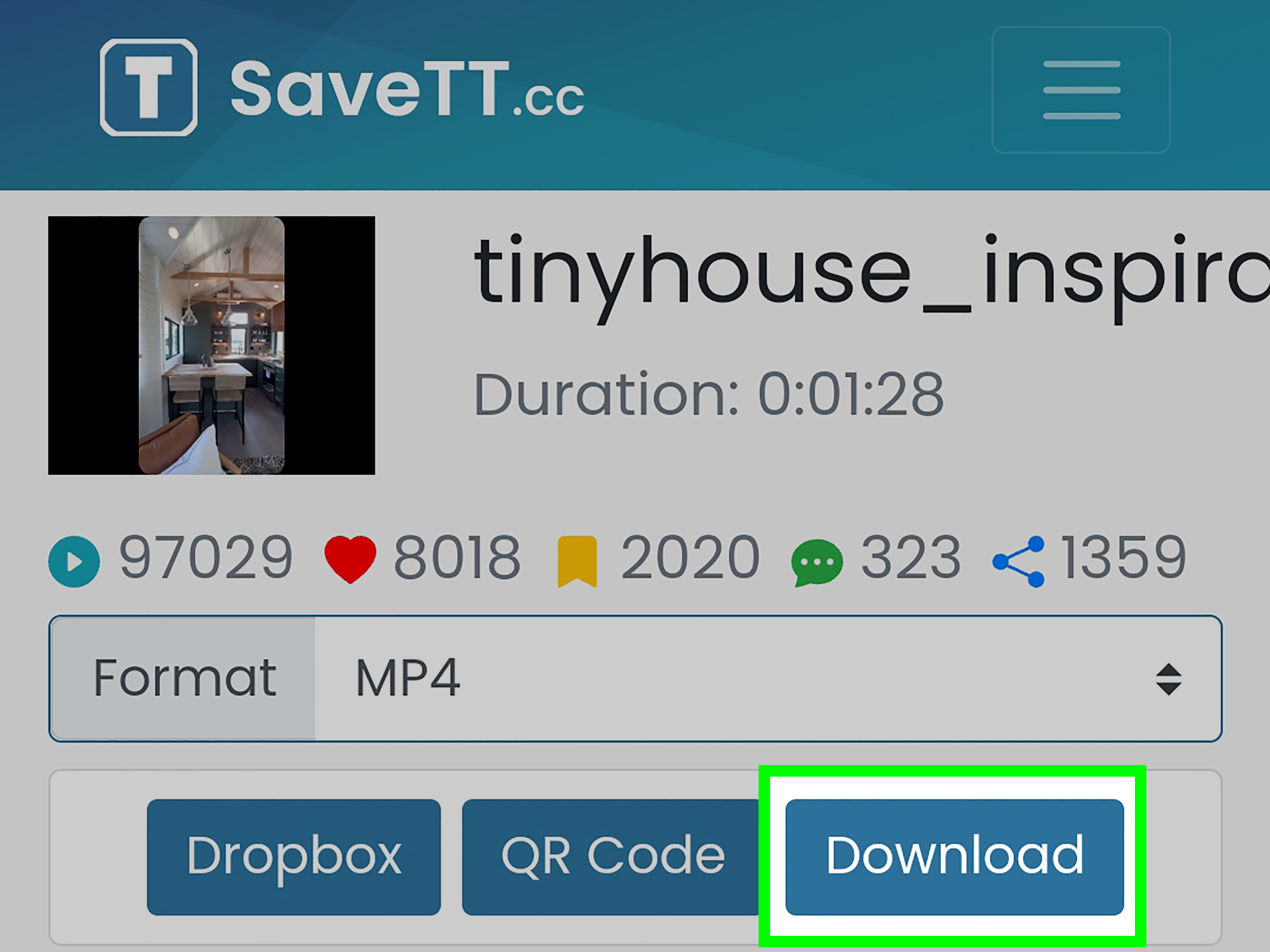
Search engines are full of tools promising to download TikTok videos without watermark. Some may work technically, but they come with risks. Many are ad-heavy, unreliable, filled with pop-ups, or unclear about how they handle data. Some may ask for unnecessary permissions or encourage users to bypass creator settings.
If you use any online tool for your own content, be careful. Never enter your TikTok password into a random downloader. Do not install unknown browser extensions unless you trust the developer and understand the permissions. Do not upload private, confidential, client, or unreleased brand videos into tools with unclear privacy policies.
For professional work, the better workflow is simple: keep the original, export from your editor, and store files in a reliable cloud folder. It is less flashy, but it will not ambush your laptop with suspicious pop-ups named “Download_Button_REAL_7.”
How to Keep Video Quality High
Downloading and re-uploading videos can reduce quality. TikTok, Instagram, YouTube, and other platforms compress video files to make them load quickly. Compression is useful for viewers but not always kind to creators. To keep quality high, follow these tips:
- Export in 1080 x 1920 pixels for vertical short-form video.
- Use MP4 format with H.264 encoding when possible.
- Keep a clean master file before uploading anywhere.
- Avoid repeatedly downloading and re-uploading the same clip.
- Use strong lighting and clear audio at the recording stage.
- Save captions and text in editable project files when possible.
The best watermark-free TikTok video is not a rescued file; it is a planned file. Build your workflow like you expect the video to go viral. If it does, you will be ready. If it does not, at least your folders will look professional.
Common Problems and Easy Fixes
The Download Button Is Missing
If you cannot download a TikTok video, the creator may have disabled downloads, the account may be private, or the content may have restrictions. Respect that setting. Use the share link, ask permission, or save your own content through your original source files.
The Downloaded Video Has a Watermark
This is normal when using TikTok’s built-in download feature after posting. Use the original file, export from your editing app, or save before posting if the app offers a clean local copy.
The Video Looks Blurry After Reposting
Blurry reposts often happen because the video has been compressed several times. Go back to the highest-quality original file. Export fresh instead of recycling a downloaded version.
The Audio Is Missing or Muted
Music licensed for TikTok may not be cleared for other platforms. If you are reposting to Instagram, YouTube, Facebook, or a website, use music you own, licensed stock audio, platform-approved sounds, or original voiceover.
Best Workflow for Creators and Businesses
If you create content regularly, build a repeatable system. Here is a simple workflow:
- Record the video on your phone or camera.
- Save raw footage in a folder by date or campaign.
- Edit in an app that allows clean exports.
- Export one master version without platform branding.
- Upload the master file to TikTok.
- Save a caption document with hashtags, links, and credits.
- Repurpose the clean file for Reels, Shorts, Pinterest, or your website.
This system is especially helpful for brands and agencies. It prevents confusion, protects rights, and makes repurposing faster. Instead of hunting through your camera roll like a raccoon in a snack drawer, you know exactly where every clean video lives.
When You Should Not Remove a TikTok Watermark
You should avoid removing a watermark when the video belongs to someone else, when the creator has disabled downloads, when you do not have permission to repost, or when the content includes copyrighted music, footage, images, or brand assets you cannot use outside TikTok.
Removing attribution can damage trust. It may also lead to takedown requests, account issues, brand disputes, or copyright complaints. If the video is valuable enough to repost, it is valuable enough to handle properly.
Safe Alternatives to Watermark-Free Downloads
If a watermark-free download is not appropriate, try these alternatives:
- Embed the TikTok video on your website when embedding is available.
- Share the direct link in emails, messages, or social posts.
- Use screenshots only when appropriate and credit the source.
- Create your own version inspired by the idea, not copied from the creator’s expression.
- Commission the creator for a licensed clean file or UGC package.
For businesses, commissioning user-generated content is often the cleanest solution. You get usage rights, a clean video, brand-safe messaging, and fewer awkward emails that begin with “We noticed you used our video without asking.”
Extra Experience Section: What Creators Learn After Downloading TikTok Videos for a While
After working with TikTok content for long enough, most creators learn the same lesson: the real secret is not finding a magical downloader. The real secret is building a smart content habit before you publish. A lot of people only think about saving a clean copy after a video performs well. That is when panic begins. The post is already live, the TikTok version has a watermark, the original clip is buried somewhere between vacation photos and screenshots of dinner reservations, and the creator is suddenly whispering, “Please tell me I didn’t delete it.”
The most reliable experience-based tip is to treat every video like it might become useful later. Even a casual behind-the-scenes clip can turn into an ad, a blog embed, a newsletter feature, a tutorial, or a portfolio example. Before uploading, save the clean export in a folder. Use simple names that describe the content, platform, and date. A file called 2026-05-healthy-snack-demo-clean.mp4 is far easier to find than video_738493_final_final_really.mp4. Organization may not feel glamorous, but neither does losing your best-performing video.
Another thing creators discover quickly is that platform-native editing is convenient but not always ideal for long-term reuse. TikTok’s editor is fast, fun, and packed with useful tools, but if the only version of your video exists inside TikTok, you have less control. Editing in a separate app first gives you a clean master file, editable captions, reusable graphics, and more flexibility. You can still use TikTok features after uploading, but your core asset stays safe.
Brands and social media managers often learn an additional lesson: permission should be documented. If a creator sends a clean video for reposting, save the message, email, contract, or license terms. Include where the video can be used, how long it can be used, whether paid ads are allowed, and how credit should appear. This may sound formal, but it prevents confusion later. A quick agreement is better than a long argument.
Many creators also notice that videos with removed watermarks can look worse than expected. Cropping out a watermark may cut off important visuals. Blurring it can make the video look suspicious. AI removal tools may leave strange smears, warped corners, or ghostly leftovers that scream, “Something happened here.” If you care about quality, go back to the clean source file. It almost always looks better.
Finally, the best experience comes from respecting other creators. TikTok culture moves fast, but credit still matters. If someone’s idea, performance, joke, recipe, tutorial, or footage helps your content, acknowledge it. Audiences are smart. They recognize recycled content, and they appreciate transparency. A clean video should not mean a credit-free video. Use watermark-free files for quality and professional presentation, not for hiding where the content came from.
In short, downloading TikTok videos without watermark is easiest when you plan ahead. Save originals, export clean versions, organize your files, get permission, and use platform tools responsibly. Do that, and your content workflow becomes smoother, safer, and much less dependent on sketchy websites with seven fake download buttons.
Conclusion
Downloading TikTok videos without a watermark is possible, but the safest method is to save a clean version of your own content before posting. Use original files, editing-app exports, device saves when available, and organized backups. For other creators’ videos, ask permission, use built-in sharing tools, and credit clearly. A watermark-free file should support professional reuse, not erase someone else’s work.
The smartest creators do not wait until a video goes viral to hunt for the original. They build a clean workflow from the start: record, export, save, upload, archive, and repurpose. That way, every video is ready for TikTok, Reels, Shorts, websites, client folders, and future campaigns without quality loss or copyright confusion.