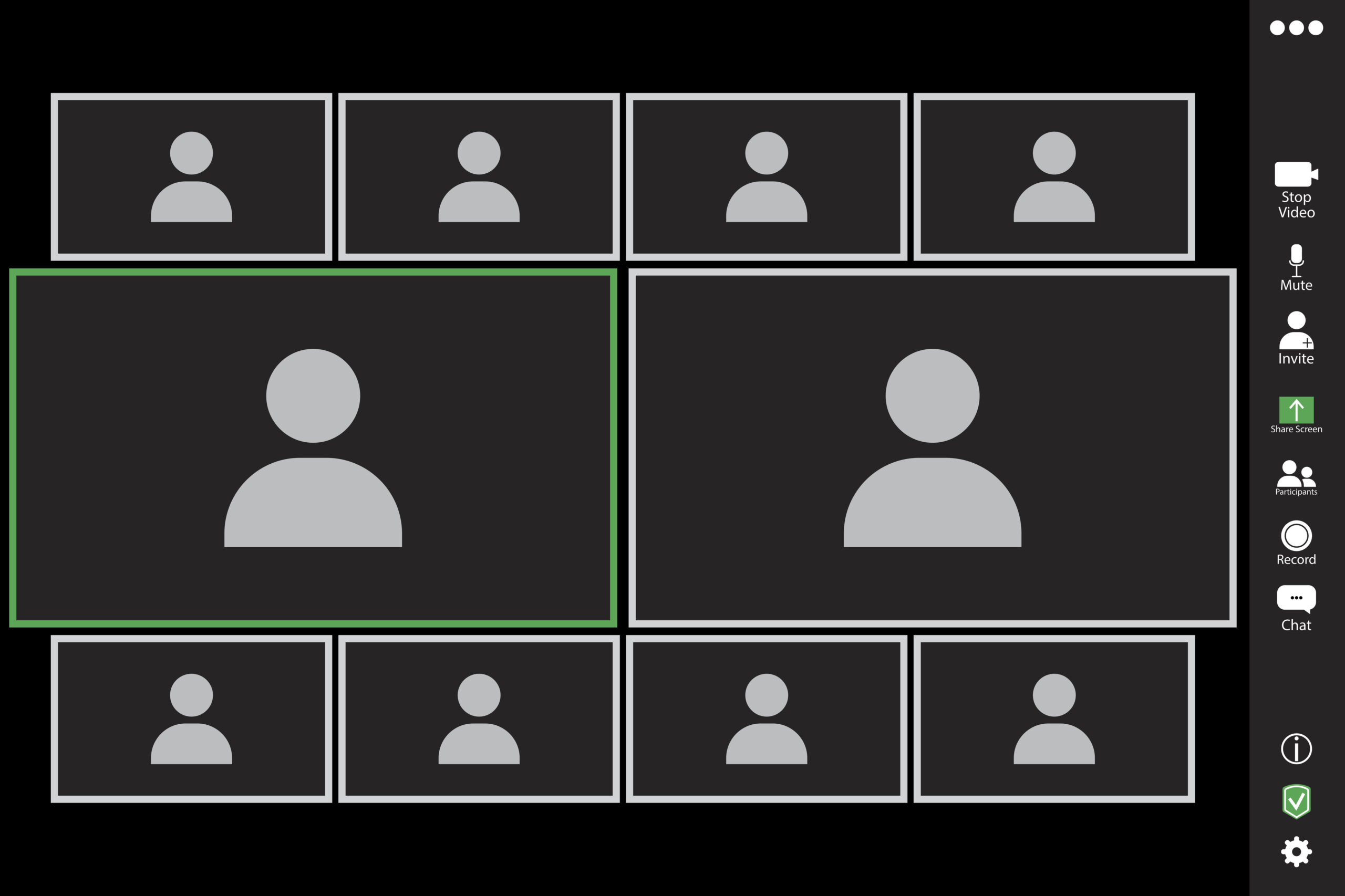
In online teaching, a camera is never just a camera. It is a doorway, a signal, a social cue, a privacy question, and occasionally the tiny square where a student’s cat becomes an unplanned teaching assistant. The “black box problem” describes what many instructors experience in live online classes: teaching to a screen filled with muted names, blank tiles, and the uneasy feeling that the lesson may have drifted into outer space.
But the camera debate is not as simple as “turn it on” or “turn it off.” Cameras can improve social presence, support engagement, and help instructors read the room. They can also create anxiety, expose private living spaces, strain bandwidth, and unintentionally punish students who are already juggling jobs, caregiving, disabilities, shared housing, or unreliable technology. In other words, the online classroom camera is both a bridge and a boundary.
What Is the Black Box Problem in Online Learning?
The black box problem happens when students attend synchronous online classes with cameras off and little visible interaction. The instructor sees a grid of dark rectangles instead of faces, gestures, smiles, puzzled looks, nods, or the classic “I understand nothing but I am being polite” expression. In a physical classroom, teachers constantly adjust based on visual feedback. They slow down when students look confused, pause when energy drops, and invite discussion when curiosity appears. Online, black boxes remove much of that feedback loop.
This does not mean camera-off students are lazy, disengaged, or secretly making nachos. Some are listening carefully. Some are taking notes. Some are protecting their privacy. Some are in crowded homes, at work breaks, or dealing with health concerns. Still, when most of a class disappears visually, the learning environment changes. It can feel less like a seminar and more like a podcast being delivered into a refrigerator.
Why Visual Presence Matters
Human beings learn socially. Facial expressions, posture, eye contact, and small reactions help people build trust and interpret meaning. In a live online classroom, cameras can make students feel more real to one another. They can make peer discussion warmer, group work smoother, and instructor feedback more responsive. A student who sees classmates nodding may feel less alone. A teacher who sees confusion can rephrase a concept before the entire class quietly sinks into academic fog.
Visual presence also supports accountability. When students turn cameras on during discussions, presentations, office hours, or breakout groups, they often participate more intentionally. They are not just “logged in”; they are present. That difference matters in synchronous online learning, where attention competes with email, laundry, roommates, snacks, and the suspiciously magnetic power of another browser tab.
The Case for Cameras in the Online Classroom
Cameras can strengthen online teaching when used with purpose. The goal is not to create a surveillance wall or turn every class into a reality show called America’s Next Top Attendee. The goal is to support connection, communication, and learning.
1. Cameras Help Build Classroom Community
Students are more likely to speak when they feel known. Seeing classmates’ faces helps create a sense of community, especially in courses that depend on dialogue, collaboration, counseling skills, language practice, presentations, case analysis, or peer feedback. A camera-on moment can turn “User 3847” into Maria, James, Aisha, or Benthe person who asked a sharp question last week and owns a plant that appears to be thriving better than most humans.
Community matters because online students can easily feel isolated. Even highly motivated learners may drift when they feel invisible. Cameras, used thoughtfully, help students recognize that they are part of a learning group rather than a collection of separate screens.
2. Cameras Give Instructors Real-Time Feedback
Good teaching is responsive. Instructors do not simply deliver content; they interpret student reactions and adjust. In a camera-off class, the instructor may not know whether students are following the lesson, confused, bored, excited, or frozen due to Wi-Fi betrayal. Cameras can provide quick signals: nods, raised eyebrows, smiles, hesitation, or the collective blank stare that politely says, “Please explain that again using smaller words and possibly a diagram.”
This feedback helps faculty pace instruction, ask better questions, and notice when a class needs a pause. Even a few cameras can improve the instructor’s sense of the room.
3. Cameras Support Active Learning
Active learning works best when students do something with the material: discuss, debate, solve, demonstrate, critique, or apply. Cameras can make these activities more natural. In breakout rooms, for example, students often communicate more smoothly when they can see each other. A visible smile can soften disagreement. A puzzled look can invite explanation. A raised hand can prevent five people from speaking at once, though online meetings somehow still make that an Olympic sport.
Camera use can also improve presentations, role plays, language practice, and professional simulations. In fields such as education, business, counseling, healthcare, and communication, students may need to practice video presence as a career skill. Remote meetings are now part of many workplaces, and learning how to engage professionally on camera is valuable.
4. Cameras Can Reduce the Feeling of Teaching Into the Void
Faculty burnout is real. Teaching live online to a wall of black boxes can be emotionally draining. Instructors may feel ignored even when students are present. They may overcompensate by talking too much, filling silence, or turning every class into a heroic solo performance. A few visible students can change the energy of the room. They remind the instructor that learning is happening with people, not pixels.
The Case Against Mandatory Camera Policies
Here is where the camera conversation needs maturity. Cameras matter, but so do privacy, equity, accessibility, and student autonomy. A strict “cameras always on” rule may solve one problem while creating five new ones. The best online classroom camera policy is not a command; it is a design decision.
Privacy Is a Serious Learning Issue
Students may not want to reveal their homes, family members, roommates, economic conditions, religious items, medical equipment, or caregiving responsibilities. A camera can expose more than a face. It can expose class, culture, family structure, neighborhood, disability, or personal stress. Asking students to broadcast their private space may feel normal to some learners and deeply uncomfortable to others.
Virtual backgrounds help, but they are not perfect. They may fail on older devices, flicker distractingly, or require stronger hardware. Some students also attend class from locations where video is simply not practical.
Bandwidth and Technology Are Not Equal
Not every student has high-speed internet, a quiet room, a modern laptop, or unlimited data. Video can drain bandwidth and make audio unstable. For students using shared Wi-Fi, mobile hotspots, or older devices, camera requirements may reduce learning rather than improve it. In those cases, audio, chat, collaborative documents, polls, and discussion boards may offer better participation channels.
Camera Anxiety Can Silence Students
Some students feel self-conscious on camera. They may worry about appearance, facial expressions, background noise, lighting, or being watched by peers. Video fatigue is also real. Constantly seeing oneself on screen can increase self-monitoring and exhaustion. A student who might contribute thoughtfully through chat may withdraw if camera use feels forced.
Instructors should remember that engagement is not the same as visibility. A student can be visible and mentally absent. Another can be camera-off and intellectually locked in. The camera is a clue, not a crystal ball.
A Better Approach: Cameras Encouraged, Not Weaponized
The smartest online camera policies are flexible, transparent, and connected to learning goals. Instead of saying, “Turn cameras on because I said so,” instructors can explain when and why cameras help. Students are more likely to cooperate when the request feels respectful and purposeful.
Use a “Camera-On Moments” Strategy
Rather than requiring cameras for an entire class, faculty can identify specific moments when video adds value. For example:
- Opening check-ins or community-building activities
- Small-group breakout discussions
- Student presentations or peer feedback sessions
- Role plays, interviews, demonstrations, or debates
- Closing reflections or quick comprehension checks
This approach respects student energy and privacy while still creating moments of human presence. It also gives students predictable expectations. Nobody enjoys being ambushed with “Cameras on!” while eating cereal from a mug.
Offer Multiple Ways to Participate
Participation should not depend entirely on video. A strong online classroom gives students several ways to show engagement: microphone, chat, polls, reaction icons, shared documents, discussion boards, breakout notes, short reflections, quizzes, and collaborative whiteboards. When students have options, participation becomes more inclusive.
For example, an instructor might say: “During breakout rooms, please use your camera if you are able. If not, participate through audio or chat and add one key idea to the shared document.” This keeps the focus on learning behavior, not the camera itself.
Let Students Explain Concerns Privately
A public demand for camera use can embarrass students. A better approach is to invite private communication. In the syllabus or first class session, faculty can write: “Cameras are encouraged during discussion because seeing one another helps build community. If video use creates a barrier for you, please contact me so we can find another way for you to participate fully.”
This language is firm, humane, and realistic. It also prevents the instructor from making assumptions about why a student remains camera-off.
Model the Behavior You Want
Instructors can set the tone by using their own camera effectively. Good lighting, clear audio, warm eye contact, and visible enthusiasm all help. Faculty do not need a Hollywood studio. A stable camera, decent microphone, and uncluttered background are enough. The goal is not glamour; the goal is presence. Nobody needs cinematic cheekbones to teach statistics.
Practical Camera Guidelines for Faculty
A useful online classroom camera policy should be clear before the course begins. Students should know what is expected, why it matters, and what alternatives exist. Here is a faculty-friendly framework.
Connect Camera Use to Learning Outcomes
Ask: Does camera use directly support the course goal? In a public speaking class, yes. In a counseling skills course, likely yes. In a lecture-heavy course with hundreds of students, maybe not. In a math problem-solving session, cameras may help during small groups but be unnecessary during individual work.
Do Not Grade Mere Camera Presence
Grading camera use alone can be unfair. Instead, grade participation through observable learning actions: contributing ideas, asking questions, submitting reflections, completing group tasks, presenting work, or responding to peers. A camera can support these actions, but it should not be the only evidence of learning.
Build Camera Norms Early
The first week matters. If cameras are encouraged, explain the reason immediately. Invite students to co-create norms: when cameras help, when they can be off, how to handle breaks, and what respectful online presence looks like. Students are more likely to follow guidelines they helped shape.
Normalize Breaks
Even students who use cameras willingly need breaks. Encourage students to turn cameras off briefly when they need to stretch, handle a private interruption, or reset. This reduces fatigue and makes camera use feel less like a trap.
Use Technology Features Wisely
Encourage virtual backgrounds when appropriate. Use reaction icons for quick feedback. Use polls to check understanding. Use breakout rooms for smaller, safer interaction. Remind students that they can hide self-view if seeing themselves increases stress. Technology should support learning, not behave like a bossy robot with a clipboard.
Examples of Balanced Camera Policies
Example 1: Discussion-Based Graduate Course
“Because this course relies on dialogue and professional presence, cameras are strongly encouraged during opening check-ins, breakout discussions, and presentations. If camera use creates a barrier, please contact me privately. You may participate through audio, chat, or written collaboration when needed.”
Example 2: Large Online Lecture
“Cameras are optional during lectures. Students are expected to participate through polls, chat prompts, short quizzes, and discussion activities. Cameras may be requested during small-group work, but alternative participation methods are available.”
Example 3: Skills-Based Professional Course
“Video presence is part of the professional skill set practiced in this course. Students will use cameras for selected simulations and presentations. Accommodations and alternatives are available for students with technology, privacy, accessibility, or health concerns.”
The Faculty Focus Perspective: Presence Without Punishment
The strongest argument for cameras in the online classroom is not control. It is connection. Faculty Focus conversations around online teaching often return to a central truth: students learn better when they feel seen, and instructors teach better when they can sense the people in front of them. The problem is that “being seen” must not become “being exposed.”
A humane online classroom treats camera use as a shared learning practice. It encourages visibility while honoring legitimate reasons for invisibility. It recognizes that a camera can build community, but trust builds community even more. When students believe their instructor respects them, they are more likely to participate visibly and meaningfully.
The black box problem is real, but the solution is not a digital flashlight pointed into every student’s life. The solution is better course design: clear expectations, active learning, flexible participation, privacy-aware policies, and a culture where cameras feel useful rather than forced.
Experience-Based Reflections: What the Black Boxes Teach Us
Anyone who has taught or attended an online class knows the strange emotional weather of the black box classroom. At first, it can feel harmless. A few students turn cameras off. Then a few more. Soon the instructor is speaking to a gallery of initials: A, M, J, “iPhone,” and one mysterious participant named “Admin” who may or may not be awake. The lesson continues, but something human has gone missing.
One practical experience many instructors report is that camera use improves when the class has a ritual. For example, a professor might begin each session with a two-minute visual check-in: “Show us an object on your desk that describes your week.” Students hold up coffee mugs, notebooks, headphones, snacks, or occasionally a sleepy dog who has no idea it is now part of higher education. This small activity lowers the pressure. Cameras are not being used for inspection; they are being used for connection.
Another common experience is that students are more willing to turn cameras on in small groups than in the main room. This makes sense. Speaking to four peers feels safer than appearing in front of thirty classmates. Instructors who rely on breakout rooms often find that camera participation rises naturally when students have a task, a time limit, and a reason to interact. The key is structure. “Go discuss” is vague. “Choose one example, write two takeaways, and prepare one person to report back” gives students a purpose. Purpose wakes up the room faster than a lecture slide with twelve bullet points and the personality of wet cardboard.
Students also respond well when instructors acknowledge reality. A teacher who says, “I know cameras can be tiring, so we will use them intentionally today,” sounds far more reasonable than one who says, “Cameras must remain on at all times.” The first statement treats students like adults. The second may create resistance before learning even begins. In online education, tone matters. A respectful request can open cameras; a rigid command can close minds.
There is also a lesson in humility. A black screen does not always mean disengagement. Many instructors have been surprised when a camera-off student submits brilliant work, asks a thoughtful question in chat, or sends a reflective message after class. Visibility is helpful, but it is not the whole story. Some students listen better without video pressure. Some need to move around, care for a child, manage anxiety, or protect a private space. The wise instructor does not confuse compliance with learning.
At the same time, students benefit from understanding the instructor’s side. Teaching to black boxes can be lonely. Faculty are not content machines. They are people trying to create energy, clarity, and momentum in a digital room. When students turn cameras on during key moments, they give the instructor feedback and encouragement. Even one nod can help a teacher know, “Yes, keep going. This is landing.”
The best experience-based solution is a partnership. Instructors can say, “Here is why cameras matter.” Students can say, “Here is what makes camera use difficult.” Together, they can build norms that support both engagement and dignity. Maybe cameras are on for introductions, group work, and presentations. Maybe they are optional during lectures. Maybe students use profile photos when cameras are off. Maybe chat, polls, and shared documents become equal participation tools. The point is not to win the camera debate. The point is to design a classroom where people can learn without disappearing completely.
In the end, the black box problem asks a bigger question: How do we make online learning feel human? Cameras are one answer, but not the only one. Humor helps. Structure helps. Compassion helps. Clear expectations help. A good microphone helps more than anyone wants to admit. When faculty combine these elements, the online classroom becomes less like a grid of silent rectangles and more like a real learning communityone where students can be seen, heard, respected, and occasionally photobombed by a cat with excellent timing.
Conclusion: Cameras Matter, but Trust Matters More
The black box problem is one of the defining challenges of synchronous online learning. Cameras can improve engagement, social presence, instructor feedback, and classroom community. They help students become more than names on a screen and help faculty teach with greater responsiveness. But cameras also raise real concerns about privacy, equity, accessibility, technology, and fatigue.
The best approach is not a universal camera mandate. It is a thoughtful camera culture. Faculty should explain why cameras matter, connect camera use to learning outcomes, create camera-on moments, offer alternative participation methods, and invite students to communicate barriers privately. When cameras are encouraged with care, they become tools for connection rather than instruments of control.
Online classrooms do not need to be black boxes. They can be lively, warm, rigorous, and human. The secret is not forcing every student into view every minute. The secret is designing a learning space where students want to show upand where showing up can happen in more than one way.
SEO Tags
Note: This article synthesizes widely discussed higher-education teaching practices, faculty development guidance, and research-based insights on online engagement, camera use, privacy, equity, accessibility, and synchronous learning. Source links are omitted as requested.