Once upon an internet time, WikiAnswers was one of the places people visited when they had a question that felt too oddly specific for a textbook and too urgent for a family group chat. Today, WikiAnswers is better understood as part of the broader Answers.com experience, but plenty of people still use the old name out of habit. It is a little like calling every tissue a “Kleenex” or every slow printer “a personal enemy.”
The good news is simple: if you want to submit a question to WikiAnswers, you are really trying to ask a question through Answers.com. The basic idea is still familiar. You search or type your question, check whether someone has already asked it, and, if needed, create a new question with enough context for someone else to understand what you mean.
This guide explains how to submit a question clearly, avoid common mistakes, and improve your chances of getting a useful answer instead of a confused silence from the internet. Whether your question is about school, history, science, technology, language, hobbies, or that one random thing you suddenly need to know at 11:47 p.m., these nine steps will help you ask better.
What Is WikiAnswers Today?
WikiAnswers was known as a community-driven question-and-answer platform where users could ask questions, answer questions, and improve existing answers over time. The “wiki” part mattered because the content was not meant to be frozen forever. Questions and answers could be edited, refined, expanded, and organized so they became more helpful to future readers.
Today, the practical destination for most users is Answers.com. The site still focuses on questions and answers, but the modern interface may include search tools, existing answer pages, topic categories, and instant-answer features. So when someone says, “How do I submit a question to WikiAnswers?” the modern translation is: “How do I ask a question on Answers.com in a way that actually works?”
That distinction matters because old tutorials may mention buttons, menus, or layouts that no longer exist. Websites age. Buttons move. Search bars get redesigned. The internet wakes up one morning and decides the blue button should now be purple. Instead of memorizing one outdated screenshot, learn the workflow: search first, ask clearly, add context, choose the right topic, and submit.
How to Submit a Question to WikiAnswers: 9 Steps
Step 1: Go to Answers.com
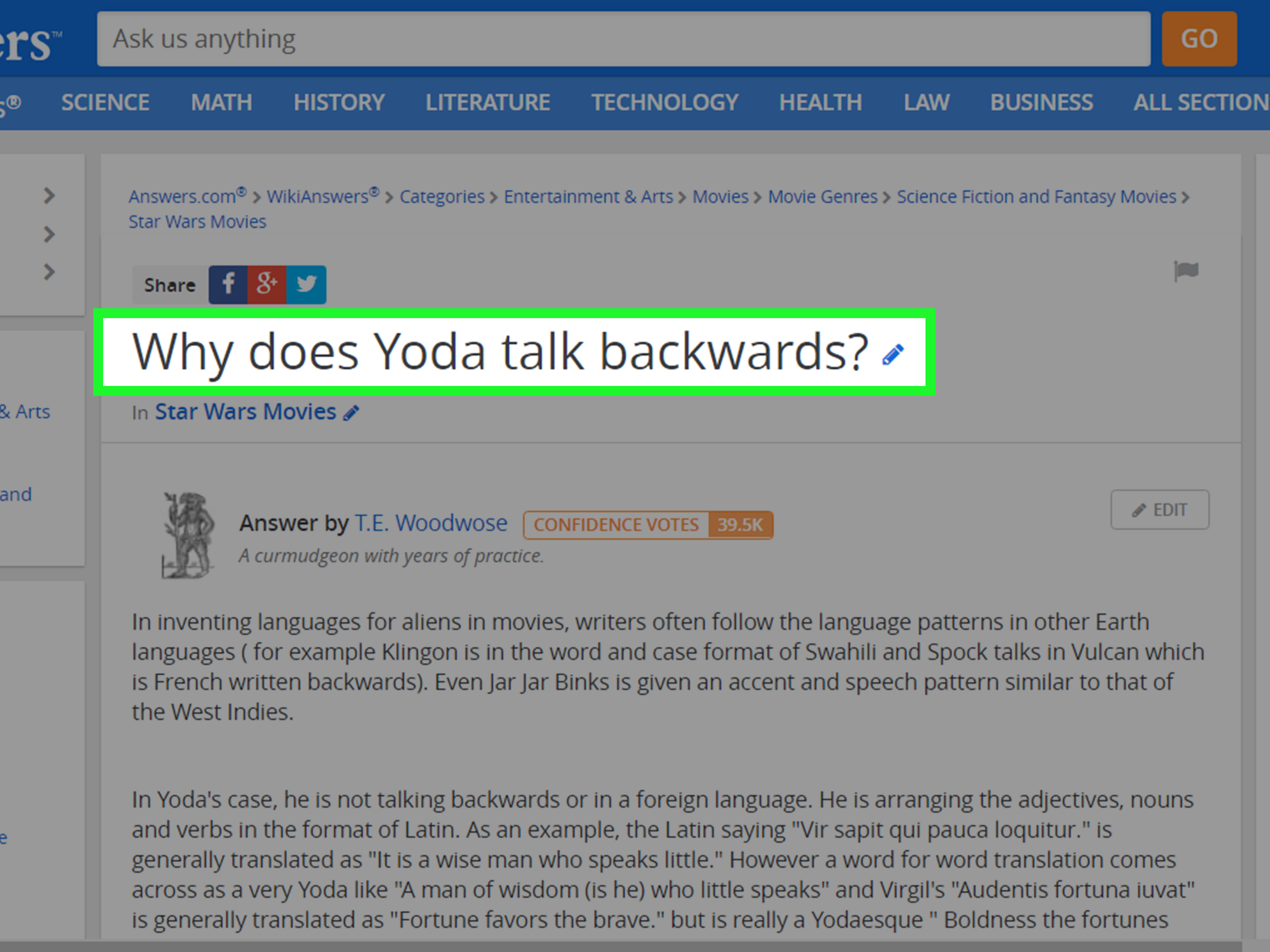
Start by visiting Answers.com in your browser. Since WikiAnswers is now associated with Answers.com, this is the place where you should begin. On the homepage or a question page, look for a search or question field. It may say something like “Ask a question,” “Ask us anything,” or another similar prompt.
If you are using a phone, the question box may look slightly different than it does on a desktop computer. Do not panic. Mobile websites love hiding things behind icons like they are running a tiny treasure hunt. Look for the search bar, magnifying glass, question field, or menu.
Step 2: Sign In or Create an Account If Needed
You may be able to search existing questions without signing in, but creating or submitting a new question may require an account. If the site asks you to log in, use the available sign-in option and follow the instructions. Some Q&A communities require accounts because they need to reduce spam, track contributions, and give users a way to edit or follow their questions.
Use accurate account information and keep your login details private. Do not create multiple accounts just to repost the same question repeatedly. That is not “strategy”; it is digital shouting, and most communities do not reward it.
Step 3: Search Before You Ask
Before submitting a new question, type your question into the search bar. This is one of the most important steps. Many questions have already been asked, sometimes in slightly different wording. If you find an existing answer that solves your problem, congratulations: you saved time and gave your keyboard a tiny vacation.
For example, instead of immediately creating a new question like “What states end with the letter N?” search that exact phrase first. If an existing answer appears, read it. If it is incomplete or unclear, you may be able to look for related questions or add a better answer if the platform allows it.
Searching first also helps you understand how questions are usually worded on the site. You may discover that your original question is too broad, too vague, or already answered in five different places with five different levels of enthusiasm.
Step 4: Write One Clear Question
A good question usually focuses on one main thing. Try not to squeeze six questions into one box. If your question looks like it needs a table of contents, it is probably too big.
Weak question: “Tell me everything about Mars, space, rockets, NASA, aliens, and why the sky is weird.”
Better question: “Why does Mars look red from Earth?”
The better version is specific, answerable, and easy for another person to understand. Clear questions are more likely to receive clear answers. Vague questions invite vague answers, and vague answers are about as satisfying as a sandwich made of fog.
Step 5: Add Helpful Context
If the site gives you a place to add details, use it wisely. Context helps people understand what you are really asking. This is especially important if your question could mean more than one thing.
For example, “How do I change a key?” could refer to a music key, a keyboard key, a house key, a car key, or a software license key. That is a lot of keys, and none of them want to be confused with each other. A clearer version would be: “How do I change the key of a song from C major to D major?”
Context does not mean writing a novel. Add the useful details: what you are trying to learn, what you already know, where the confusion is, and any important limits. If your question is about a school topic, say the subject. If it is about a device, include the device type. If it is about a word, include the sentence where you saw it.
Step 6: Choose the Best Topic or Category
Many Q&A sites organize questions by topic. If Answers.com prompts you to choose a category or topic, select the most accurate one. This helps your question reach people who are more likely to understand it.
A question about the American Revolution belongs in history, not pets. A question about dog nutrition belongs in pets or animal care, not astronomy, unless your dog has recently joined NASA. The better the category, the better the chance your question will be seen by the right audience.
If you are not sure which category fits, choose the closest match. Do not intentionally place your question in an unrelated popular category just to get attention. That can annoy readers and may reduce the quality of responses.
Step 7: Review Your Question Before Submitting
Before you hit submit, read your question out loud or slowly in your head. Check for spelling mistakes, missing words, and accidental confusion. You do not need perfect grammar, but your question should be understandable.
Ask yourself three quick questions:
- Can someone understand what I am asking?
- Is this question specific enough to answer?
- Did I include the important context?
A few seconds of editing can make a big difference. “Why did Lincoln issue the Emancipation Proclamation?” is much easier to answer than “Why did Lincoln do that thing?” History teachers everywhere just exhaled in relief.
Step 8: Submit the Question
Once your question is clear, specific, and placed in the right topic, submit it. Depending on the current site design, you may press Enter, click a submit button, or follow a prompt to create the question after searching.
After submission, the site may show your question page, suggest related answers, or ask for more information. Follow any on-screen instructions. If your question appears successfully, take note of the page so you can return later and check for answers.
Do not submit the same question over and over in different forms. If your first version was unclear, edit it if possible. Reposting duplicate questions usually makes a mess and can make it harder for other users to help.
Step 9: Follow Up Politely and Improve When Needed
After asking, give the community time to respond. Some questions receive answers quickly, while others take longer. If the platform lets you add details or clarify your question, do so politely.
If someone answers but misunderstands your question, do not reply like a courtroom drama villain. Instead, clarify what you meant. For example: “Thanks, but I meant the word ‘pitch’ in music, not baseball.” That one sentence can rescue the entire discussion.
If you later find the answer yourself, consider contributing it if the site allows user answers. Q&A communities work best when people both ask and help. Today you are the person asking why bread gets moldy. Tomorrow you may be the hero explaining it.
Examples of Good WikiAnswers-Style Questions
Good questions are specific, searchable, and easy to answer. Here are a few examples:
- “What is the difference between weather and climate?”
- “Why does the Moon have craters?”
- “How do you convert 3:35 p.m. to 24-hour time?”
- “What is the scientific name for goose bumps?”
- “Why did the United States enter World War I?”
Each question focuses on one idea. None of them asks the reader to unpack an entire suitcase of confusion. That is the goal.
Common Mistakes to Avoid When Asking a Question
Do Not Ask a Question That Is Too Broad
“Explain science” is not a question; it is a lifelong academic commitment. Narrow your question. Ask about one concept, one event, one definition, or one problem at a time.
Do Not Use Clickbait or All Caps
Typing “PLEASE ANSWER NOW!!!!” may feel urgent, but it rarely improves the quality of responses. It can make your question look spammy. A calm, clear question works better.
Do Not Leave Out the Main Detail
If you ask, “Why is it not working?” nobody can help unless they know what “it” is. A toaster? A website? A math formula? Your cousin’s garage band? Specifics matter.
Do Not Ask for Homework to Be Done for You
If your question is school-related, ask for help understanding the concept instead of asking someone to do the entire assignment. For example, “Can someone explain how to divide fractions?” is better than “Do my worksheet.” The first helps you learn. The second makes the internet sigh deeply.
How to Make Your Question More Likely to Get Answered
The best questions respect the reader’s time. They are clear, organized, and honest about what the asker needs. If you want better answers, include enough information for someone to respond without playing detective.
Use plain language. Avoid unnecessary slang. Check whether your question has a simple factual answer or whether it is asking for opinions. Q&A sites are usually better at answering focused factual questions than huge debates. “When was the Declaration of Independence adopted?” is easier to answer than “Was history good or bad?”
Also, remember that public Q&A answers can vary in quality. Read carefully, compare information when the topic is important, and use trusted sources for health, legal, financial, or safety-related questions. Community answers can be useful, but they should not replace professional advice when the stakes are high.
Why Searching First Is So Powerful
Searching before asking is not just about avoiding duplicates. It also helps you learn the vocabulary of your topic. Maybe you typed “tiny moon holes,” but the common term is “lunar craters.” Once you know the right term, your question becomes sharper.
This is especially useful for science, math, grammar, and technology questions. A better keyword can unlock better answers. Think of search as the warm-up round before you submit your question. It is not glamorous, but neither is stretching before exercise, and yet knees remain grateful.
Should You Still Use the Name WikiAnswers?
You can use the name casually, but for practical purposes, use Answers.com when searching or asking. WikiAnswers is part of the site’s history and identity, while Answers.com is the modern destination most users will encounter.
If you are following an older guide that says “go to WikiAnswers,” understand that the steps may not match the current layout exactly. Look for the modern equivalent: search bar, ask field, topic selection, question creation page, and answer area.
Experience Notes: What It Feels Like to Ask a Question Online
Submitting a question to a Q&A site seems easy until you actually try to write one. Suddenly, your brain turns into a committee meeting. “Should I include more detail?” “Is this obvious?” “Will people understand me?” “Why did I spell ‘question’ wrong three times?” That is normal. Asking a good question is a small writing skill, and like any writing skill, it improves with practice.
One useful experience is to start with the messy version of your question, then clean it up. For example, your first thought might be: “Why does my phone keep doing that thing where it stops charging unless I hold the cable weird?” That is understandable, but it can be improved. A stronger version would be: “Why does my phone only charge when the cable is held at a certain angle?” Now the question is clearer, more searchable, and more likely to attract a useful answer.
Another lesson is that details matter, but too many details can bury the question. If you are asking about a recipe, include the ingredient or cooking problem. You do not need to include the emotional biography of the soup. If you are asking about a historical event, include the country, time period, or person involved. If you are asking about a word, include the sentence where you found it. The right details act like street signs. The wrong details act like fog machines at a middle school dance.
Patience is also part of the experience. When you ask a question online, you are entering a public knowledge space. Some people may answer quickly. Others may answer later. Some may misunderstand. That does not always mean your question was bad, but it may mean you should clarify it. A polite follow-up can turn an average question into a helpful thread.
It also helps to read existing questions before posting your own. You will quickly notice patterns. The best questions usually have short titles, clear wording, and one main point. The weaker ones often ramble, shout, or assume readers already know the situation. When you study those patterns, you become a better asker without needing a formal lesson.
Finally, treat every question as a tiny collaboration. You are not just throwing words into a box and hoping wisdom falls out. You are helping another person understand what you need. The clearer your question, the easier it is for someone else to help. That is the real secret of WikiAnswers, Answers.com, and almost every useful Q&A community: better questions create better answers.
Conclusion
Submitting a question to WikiAnswers today means using the modern Answers.com experience: search first, ask clearly, add context, choose the right topic, and submit thoughtfully. The process is simple, but the quality of your question matters. A focused, well-written question saves time for everyone and increases your chances of getting an answer that actually helps.
Whether you are asking about science, history, language, technology, homework concepts, or a random curiosity that ambushed you during breakfast, the same rule applies: make it clear, make it specific, and make it easy to answer. The internet may be chaotic, but your question does not have to be.