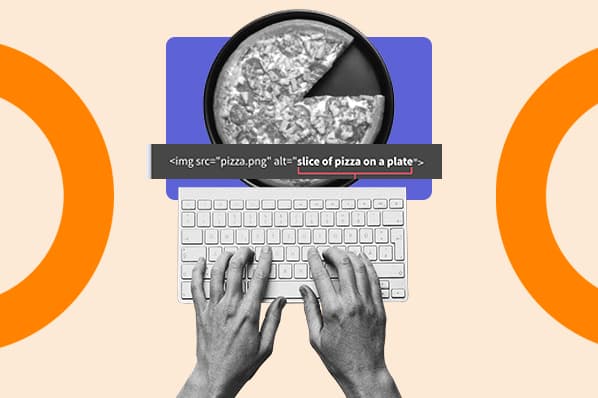
Image alt text may be small, but it punches far above its weight. It is the quiet little line of HTML that helps people understand images when they cannot see them, helps search engines understand visual content, and rescues your page from looking like a sad blank square when an image fails to load. In other words, alt text is not just a “nice-to-have” accessibility detail. It is part of smart web publishing.
For SEO, image alt text gives Google, Bing, and other search systems more context about what an image shows and how that image relates to the page. For users, it makes the web more usable, especially for people who use screen readers, browse with images turned off, or deal with slow connections. For site owners, it improves content clarity, image search visibility, accessibility, and user experience. Not bad for a few carefully chosen words.
Still, many websites treat alt text like an afterthought. Some leave it blank when the image matters. Others stuff it with keywords until it sounds like a robot swallowed a thesaurus. The goal is neither silence nor spam. The goal is useful, accurate, human-friendly description.
What Is Image Alt Text?
Image alt text, short for alternative text, is a written description added to an image through the HTML alt attribute. A basic example looks like this:
The alt text describes the image for people and technologies that cannot visually interpret it. Screen readers can announce it aloud. Browsers may display it if the image does not load. Search engines can use it as a text signal to better understand the image and its surrounding content.
Technically, “alt tag” is a common phrase, but “alt attribute” is more accurate. The tag is the <img> element; the alt text lives inside that element as an attribute. Will the internet continue calling it an alt tag anyway? Absolutely. The internet also calls every adhesive bandage a Band-Aid, so here we are.
Why Image Alt Text Matters
1. Alt Text Improves Accessibility
The most important purpose of alt text is accessibility. If an image communicates information, a person who cannot see that image should still be able to understand its meaning. A screen reader cannot magically know why you placed a photo, chart, button, or product image on the page. Alt text bridges that gap.
Good alt text does not merely describe pixels. It explains the useful meaning of the image in context. A photo of a woman holding a laptop could have different alt text depending on the page. On a remote-work article, it might be “Remote employee joining a video meeting from home.” On a product page, it might be “Woman carrying the 13-inch silver laptop in one hand.” Same image, different purpose.
2. Alt Text Helps Search Engines Understand Images
Search engines are much better at image recognition than they used to be, but context still matters. A picture of an apple could mean fruit, Apple products, a teacher’s desk, a nutrition guide, or a logo parody. Alt text helps clarify the subject and purpose of the image.
Google recommends descriptive alt text and says images should be placed near relevant text. That combination helps search systems connect the image to the page topic. Bing has also historically encouraged using ALT attributes to describe image content when images are used on a page. In plain English: search engines read the room, and alt text helps them read it correctly.
3. Alt Text Can Support Image SEO
Image SEO is the practice of optimizing images so they can contribute to organic visibility. Alt text can help images appear in image search results, strengthen topical relevance, and improve the overall usefulness of a page. This is especially valuable for recipes, ecommerce, travel, tutorials, home improvement, fashion, product reviews, diagrams, and visual how-to content.
For example, a recipe article with a photo labeled alt="Homemade blueberry pancakes with maple syrup and fresh berries" gives search engines far more context than alt="IMG_7742". One sounds delicious. The other sounds like a camera sneezed.
4. Alt Text Helps When Images Break
Images fail for many reasons: slow connections, deleted files, blocked resources, browser settings, CDN issues, or an accidental file-name change that causes the website to panic quietly. When that happens, alt text can appear in place of the missing image, giving users at least some idea of what should have been there.
5. Alt Text Matters for Image Links
If an image is used as a link, the alt text should describe the function of the link, not just the appearance of the image. For example, if a shopping cart icon links to checkout, strong alt text might be alt="Go to checkout". If the same icon is only decorative beside visible text that already says “Checkout,” then empty alt text may be better.
How to Write Good Image Alt Text
Start With the Image’s Purpose
Before writing alt text, ask one simple question: “Why is this image here?” If the image adds meaning, describe that meaning. If it performs an action, describe the action. If it is purely decorative, use an empty alt attribute: alt="".
This context-first approach prevents two common mistakes: describing irrelevant details and stuffing in keywords that do not belong. A good alt text writer is part observer, part editor, and part polite museum guide. The job is to tell users what matters without narrating every dust particle.
Be Specific, But Keep It Concise
Good alt text is usually short, clear, and specific. Many accessibility and SEO professionals recommend keeping most alt text under about 125 characters when possible, not because longer text is always forbidden, but because concise descriptions are easier for screen reader users to process.
Weak example:
Better example:
The better version is more useful because it gives meaningful detail. It does not overdo it with “premium stylish formal office wedding party shoes buy now.” That is not alt text. That is a keyword burrito.
Use Keywords Naturally
Yes, keywords can belong in alt text. No, every image should not carry the exact same target keyword. The best rule is simple: include a keyword only when it accurately describes the image and fits the page context.
If your article targets “image alt text SEO” and includes a screenshot of an HTML image attribute, this alt text works:
But if the image is a decorative office desk photo, this does not work:
Search engines do not reward nonsense, and users do not enjoy being read a shopping list of keywords. Write for people first. Search engines are getting increasingly good at noticing when content is useful versus when it is wearing a fake mustache.
Avoid “Image of” and “Picture of” Unless Needed
In most cases, you do not need to begin alt text with “image of” or “picture of.” Screen readers already identify images as images. Instead of alt="Image of a golden retriever puppy sleeping", write alt="Golden retriever puppy sleeping on a blue blanket".
There are exceptions. If the medium matters, say so. For an art history article, “Black-and-white photograph of Maya Angelou speaking at a podium” may be better than simply “Maya Angelou speaking at a podium.” The fact that it is a photograph may be relevant.
Do Not Repeat Nearby Text
If a caption already says “Marketing team reviewing a quarterly traffic report,” the alt text may not need to repeat the exact same phrase. Repetition can make screen reader experiences clunky. Alt text should complement the surrounding content, not echo it like a bored parrot.
When Should You Use Empty Alt Text?
Not every image needs a descriptive alt text. Decorative images should usually use an empty alt attribute: alt="". This tells assistive technology to skip the image.
Use empty alt text when an image:
- Is purely decorative
- Does not add new information
- Is used only for spacing, texture, or visual style
- Repeats information already provided in nearby text
- Has no function, such as linking or submitting a form
For example, a squiggly divider between blog sections does not need alt="decorative squiggly divider line". That would be like announcing, “Aesthetic flourish approaching!” every time someone scrolls. Use alt="" and let the reader move on with their life.
Alt Text Examples for Common Website Images
Product Image
Image: A red ceramic coffee mug on a white background.
Good alt text: alt="Red ceramic coffee mug with curved handle"
Why it works: It describes the product clearly and includes useful visual details.
Blog Hero Image
Image: A laptop screen showing an HTML image tag.
Good alt text: alt="HTML image tag with alt text highlighted on a laptop screen"
Why it works: It connects the visual to the article topic without sounding forced.
Chart or Graph
Image: A bar chart showing organic traffic growth after image optimization.
Good alt text: alt="Bar chart showing organic traffic growth after image optimization"
Best practice: For complex charts, include a detailed explanation or data table near the image. Alt text should summarize the chart, while the surrounding content should provide the full details.
Icon Link
Image: A magnifying glass icon used as a search button.
Good alt text: alt="Search"
Why it works: The function matters more than the visual appearance.
Decorative Image
Image: A background swirl pattern behind a section header.
Good alt text: alt=""
Why it works: The image is decorative and does not add meaning.
Common Alt Text Mistakes to Avoid
Keyword Stuffing
Alt text should not read like an SEO grocery receipt. Avoid strings such as alt="best dentist Chicago dentist near me affordable dentist dental cleaning Chicago". This creates a poor user experience and can make the page look spammy.
Using File Names as Alt Text
File names like DSC_2004.jpg or image-final-final-v7.png are not helpful descriptions. Use a descriptive file name for image SEO, but also write proper alt text.
Leaving Important Images Blank
If an image explains a step, shows a product, illustrates data, or acts as a button, blank alt text can remove meaning for users who rely on assistive technology.
Writing Too Much
Alt text is not the place for a full essay. If the image is complex, provide a short alt text summary and add a longer explanation in the body copy, caption, or an accessible data table.
Forgetting Mobile Consistency
If your mobile and desktop pages serve different image markup, make sure important images keep useful alt text on both versions. Mobile-first indexing means mobile content quality matters, including visual content signals.
Image Alt Text and SEO: How It Fits Into the Bigger Picture
Alt text is important, but it is not a magic ranking button. Strong image SEO also includes descriptive file names, compressed image sizes, relevant surrounding text, responsive images, structured data where appropriate, captions when useful, and fast page performance.
Think of image alt text as one part of a well-organized content system. A page about “how to clean suede shoes” should include useful written steps, clear images, descriptive filenames like cleaning-suede-shoes-brush.jpg, and alt text such as alt="Soft brush removing dirt from tan suede shoes". The text, image, filename, and context all support the same topic.
This is why writing alt text after the article is finished often works better than writing it randomly during upload. Once you know what each image is supposed to do, you can describe it accurately.
A Simple Checklist for Writing Better Alt Text
- Describe the image’s meaning in context.
- Keep it concise and useful.
- Use relevant keywords only when natural.
- Avoid “image of” unless the medium matters.
- Use
alt=""for decorative images. - Describe function for linked images and buttons.
- Do not repeat nearby captions word for word.
- Add longer explanations for complex images, charts, and infographics.
- Check important images on mobile and desktop versions.
- Audit old content regularly for missing or weak alt text.
Practical Experience: What Happens When You Actually Fix Alt Text?
In real content work, alt text often starts as one of those tiny tasks everyone agrees is important and then quietly ignores until a site audit waves a red flag. The first surprise is usually how many images have no useful alt text at all. Blog hero images say nothing. Product images repeat the same generic phrase. Infographics are uploaded as giant images with no explanation. Icons are announced like mysterious hieroglyphics. It is a digital haunted house, but with more JPEGs.
When teams begin improving image alt text, the biggest benefit is not always instant ranking growth. The first benefit is clarity. Editors start asking better questions: Why is this image here? Does it support the section? Is the caption enough? Is the chart explained in text? That thinking improves the article itself. A page with thoughtful images and useful descriptions tends to feel more complete, more accessible, and more trustworthy.
For ecommerce sites, the experience is especially practical. A product page may have five images of the same item: front view, side view, close-up texture, packaging, and lifestyle use. If every image uses the same alt text, users and search engines get less value. Better alt text distinguishes each image: “Front view of navy waterproof hiking backpack,” “Close-up of padded shoulder strap on navy hiking backpack,” and “Navy hiking backpack worn on a mountain trail.” These descriptions help shoppers understand details that matter, especially when they cannot view the images clearly.
For blogs and tutorials, the best results come from describing the step, not just the object. In a DIY article, alt="Paintbrush" is weak. alt="Applying primer to the sanded laminate dresser drawer" is far more useful because it explains the action. In a recipe, alt="Mixing batter" is acceptable, but alt="Folding blueberries into pancake batter with a silicone spatula" gives better context. Specificity makes the content easier to follow.
One useful workflow is to write alt text during the final editorial pass. At that point, the writer knows the purpose of every image. Another good habit is to keep a small alt text style guide for the site. For example, product pages may follow a pattern: color, material, product type, key feature. Blog images may focus on action and context. Charts may summarize the main takeaway and include a full data explanation nearby. This keeps descriptions consistent without making them robotic.
Auditing old content can also reveal quick wins. Start with pages that already get impressions, pages with many images, and pages where visuals are central to the user’s decision. Fix missing alt attributes, rewrite stuffed descriptions, remove unnecessary descriptions from decorative images, and make linked images functional. You do not need to fix a thousand pages in one heroic caffeine-powered weekend. Prioritize the pages where better image context can help users most.
Finally, remember that alt text is not about pleasing an algorithm in a basement somewhere. It is about communication. If an image matters, explain it. If it does not matter, let assistive technology skip it. If a keyword fits naturally, include it. If it sounds awkward, delete it. The best alt text feels invisible because it simply does its job. Like good lighting in a restaurant, you notice the experience, not the fixture.
Conclusion
Image alt text is a small piece of HTML with a big job. It improves accessibility, helps search engines understand visual content, supports image SEO, and creates a better experience when images do not load. The best alt text is descriptive, concise, context-aware, and written for humans first. It explains what matters about the image without repeating nearby text or stuffing in keywords like confetti at a robot parade.
If you want a simple rule, use this: describe the image according to its purpose on the page. Product photos should help shoppers. Tutorial images should explain steps. Charts should summarize insights. Decorative images should stay quiet with empty alt text. That approach serves users, search engines, and your content quality at the same time.