Getting a Pennsylvania E-ZPass is one of those adulting tasks that sounds boring until it saves you money, time, and the tiny road-trip panic of wondering, “Wait… do I still need cash for this toll?” Spoiler: on the Pennsylvania Turnpike, cash is no longer the star of the show. The system is all-electronic, which means tolls are paid either with E-ZPass or through Toll By Plate, where a bill is mailed to the registered owner of the vehicle.
If you drive the PA Turnpike even occasionally, a Pennsylvania E-ZPass can be the smarter move. It lets toll equipment read a small transponder mounted in your vehicle, calculate the toll, and deduct the cost from your prepaid account. The biggest perk is simple: E-ZPass customers usually pay the lowest toll rate on the PA Turnpike, while Toll By Plate can cost more. In other words, E-ZPass is the responsible friend who packed snacks, checked the gas tank, and remembered the exit number.
This guide explains the four main ways to get a Pennsylvania E-ZPass: online, through the PA Toll Pay app, from local retailers, and by phone or mail. You’ll also learn what information to prepare, how payment works, how to avoid common mistakes, and what real-world users should know before taking that first toll-point victory lap.
What Is a Pennsylvania E-ZPass?
A Pennsylvania E-ZPass is an electronic toll transponder connected to a prepaid account through the Pennsylvania Turnpike Commission. When your vehicle passes through an E-ZPass toll point, the equipment reads your transponder and posts the toll to your account. No stopping, no ticket, no dashboard coin archaeology.
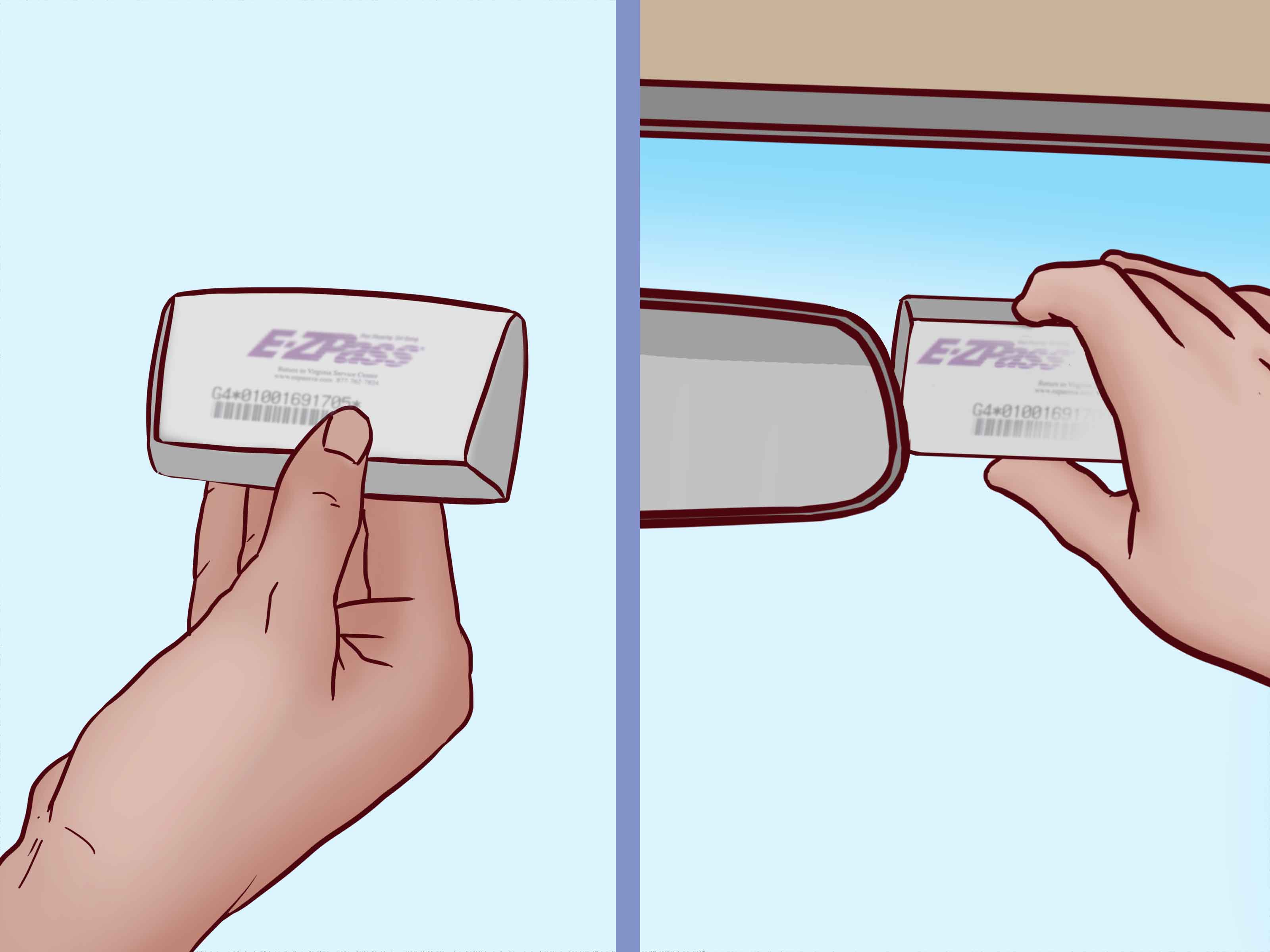
The transponder is typically mounted inside the windshield according to the instructions provided with the device. Your account stores key details such as your license plate number, vehicle information, payment method, contact information, and account balance. Keeping that information current is important because the tolling system needs to match your vehicle and account correctly.
Why Pennsylvania Drivers Use E-ZPass
The most obvious benefit is convenience. You can travel through toll points without waiting to pay at a booth because Pennsylvania Turnpike tolling is electronic. Another major benefit is cost savings. E-ZPass customers receive the lowest available PA Turnpike toll rate compared with Toll By Plate billing. For daily commuters, frequent road-trippers, delivery drivers, college students heading home, or families constantly bouncing between counties, those savings can add up faster than gas-station coffee disappears on a long drive.
E-ZPass is also useful beyond Pennsylvania. The E-ZPass network includes participating toll agencies in many states, so one transponder can work on numerous toll roads, bridges, and tunnels across the region. Always check the toll agency before traveling far from home, but for many East Coast and Midwest routes, E-ZPass can make driving smoother.
Before You Apply: What You Need
Before opening a Pennsylvania E-ZPass account, gather the basics. You will usually need your driver’s license information, license plate number, vehicle details, email address, mailing address, and a payment method. If you are registering a Go Pak purchased from a retailer, you will also need the transponder number and PIN included in the package.
For payment, Pennsylvania E-ZPass personal accounts commonly use a prepaid balance. Automatic replenishment can be connected to a credit card, debit card, check card, or bank account. When the account balance drops to the required threshold, the system adds funds automatically. Manual replenishment is also available, but it may require an additional transponder deposit and more hands-on account monitoring.
Here is the practical takeaway: choose automatic replenishment if you want the easiest experience. Choose manual payment only if you are comfortable checking your balance regularly. Toll systems are not known for emotional forgiveness when your account runs dry.
1. Get a Pennsylvania E-ZPass Online
The fastest and most direct way for many drivers is to open a Pennsylvania E-ZPass account online through the PA Turnpike’s official E-ZPass portal. This method works well if you want to set everything up from home and have the transponder delivered to your door.
How the Online Method Works
To apply online, you create a personal E-ZPass account and enter your driver’s license number, license plate number, vehicle information, email address, and payment card details. After the account is created and your order is processed, the transponder is mailed to you. Once it arrives, you mount it properly in your vehicle and manage your account online.
This option is ideal for people who are not in a rush to drive through toll points today. It is clean, simple, and usually easier than trying to remember business hours or hunt down a retailer with transponders in stock.
Best For
Online ordering is best for new Pennsylvania residents, occasional travelers planning ahead, remote workers who avoid errands like they avoid spam calls, and anyone who wants the least complicated signup process.
Online Application Tips
Use your legal name exactly as it appears on your driver’s license. Double-check your license plate number, including letters, numbers, and state. A single wrong character can turn a convenient toll account into a customer-service adventure. Also, use an email address you actually check because account alerts, notices, and payment updates may arrive there.
If you own multiple vehicles, add all the vehicles you expect to use with the account. This helps prevent Toll By Plate invoices if your transponder is not read properly. The transponder is the main tool, but accurate plate information is the backup singer that keeps the performance from falling apart.
2. Open an Account With the PA Toll Pay App
The second way to get a Pennsylvania E-ZPass is through the PA Toll Pay app. This option is designed for people who manage life from their phones and consider “desktop computer” a phrase from ancient history.
What the PA Toll Pay App Can Do
The PA Toll Pay app allows users to manage E-ZPass and Toll By Plate activity on the go. For E-ZPass customers, the app can help update payment information, add or remove vehicles, request additional transponders, update account details, request mounting strips, and report a transponder as lost or stolen.
New users can use the app to begin the account process, while existing users can manage an active account. It is especially useful if you travel often, use rental vehicles, change payment cards, or like checking toll activity before a surprise invoice shows up and ruins your sandwich.
Best For
The app method is best for commuters, frequent PA Turnpike users, drivers who prefer mobile account management, and anyone who wants quick access to payment and vehicle settings. It is also helpful for families with more than one vehicle because updates can be made without sitting down at a computer.
App Setup Tips
Download the official PA Toll Pay app from a trusted app store. Avoid clicking random text-message links claiming to collect tolls or fix an account problem. Toll-related smishing scams have become common, and fake messages may try to scare drivers into entering payment information on fraudulent websites. When in doubt, open the official app or go directly to the official PA Turnpike website instead of trusting a link from a mystery number.
After setting up the app, turn on account notifications if available. A low-balance alert is much more pleasant than learning your payment method expired three tolls ago.
3. Buy an E-ZPass Go Pak From a Local Retailer
If you want a transponder in your hand quickly, a Pennsylvania E-ZPass Go Pak from a participating retailer may be the best option. Go Paks are sold at many authorized retail locations across Pennsylvania, including some AAA offices and authorized tag or title agencies. Availability can vary by location, so it is smart to call ahead before driving across town with heroic optimism.
How a Go Pak Works
A Go Pak includes a transponder and instructions for registration. Buying the package is only step one. You still need to register and activate the transponder with the Pennsylvania Turnpike Commission before using it. Registration connects the device to your name, vehicle, license plate, and payment method.
This is the part some drivers accidentally skip. They buy the transponder, toss it on the seat, and assume the tolling gods will understand. They will not. Unregistered or improperly registered transponders can lead to Toll By Plate invoices or violations, so activate the Go Pak before your first trip.
Best For
Retailer pickup is best for last-minute travelers, people who prefer in-person purchases, AAA customers, drivers near an authorized retailer, and anyone who does not want to wait for shipping.
Retailer Tips
Ask the retailer whether the package includes prepaid toll funds, whether a convenience fee applies, and whether staff can explain the registration steps. Keep the receipt until your account is active and you have confirmed that the transponder is listed correctly.
After registration, allow enough time for the account to become fully active before using the transponder, especially if you plan to drive outside Pennsylvania. Some retailers advise waiting after registration before using E-ZPass on other toll roads. If your road trip starts tomorrow morning, do not wait until midnight to activate the device unless you enjoy adding suspense to transportation.
4. Order by Phone or Mail
The fourth way to get a Pennsylvania E-ZPass is by phone or mail. This is a practical choice for people who prefer speaking with customer service, do not want to apply online, need help choosing payment options, or want to submit a paper application.
Phone Ordering
You can contact the Pennsylvania Turnpike E-ZPass Customer Service Center to open an account by phone. Customer service can explain the current account requirements, payment options, mailing process, and how to add vehicles. This option is especially helpful if your situation is a little unusual, such as multiple vehicles, rental vehicle questions, or uncertainty about manual versus automatic replenishment.
Mail Application
For mail enrollment, you download or request a Pennsylvania E-ZPass application, fill it out, include the required payment information, and mail it to the PA Turnpike Customer Service Center in Harrisburg. Mail applications take longer, so this method is better for planners than procrastinators.
The official customer service mailing address is:
PA Turnpike Customer Service Center300 East Park Drive
Harrisburg, PA 17111
The customer service phone number is 1-877-736-6727. Standard customer service hours are generally Monday through Friday during business hours, but always confirm current hours before calling or visiting.
Best For
Phone or mail is best for drivers who want guided help, people who are uncomfortable entering payment information online, users who need paper records, and applicants who prefer traditional account setup.
Payment Options and Costs to Expect
Opening a Pennsylvania E-ZPass personal account generally requires prepaid toll funds and an annual fee per transponder. Auto-replenishment accounts commonly require an initial payment for tolls plus the annual fee, while manual replenishment accounts may require an additional transponder deposit. Current amounts can change, so check the official Pennsylvania Turnpike E-ZPass account information before applying.
Automatic replenishment is the easiest payment style for most drivers. When your balance reaches the low-balance threshold, the system charges your selected payment method or transfers funds from your bank account. Manual replenishment requires you to add money when the balance gets low. If you choose manual payment, set calendar reminders because your future self may be busy, distracted, or deep in a grocery store trying to remember why you came in.
How to Use Your Pennsylvania E-ZPass Correctly
Once you receive your transponder, mount it exactly as instructed. Placement matters because the toll equipment needs to read the device. If the transponder is sitting in a cup holder, glove compartment, purse, or somewhere under a heroic pile of napkins, it may not read properly.
Keep your license plate information updated. If you sell a vehicle, remove it from your account. If you buy a new vehicle, add it before using toll roads. If you rent a vehicle, add the rental vehicle information with the correct start and end dates if your account allows it. When a plate is listed on your account, you may be responsible for tolls incurred during that period, so do not leave rentals or sold vehicles attached to your account longer than necessary.
Common Mistakes to Avoid
Using a Go Pak Before Registration
Buying a Go Pak is not the same as activating it. Register it first, confirm the account is active, and then drive.
Ignoring Low-Balance Notices
If your prepaid balance runs too low and your payment method fails, tolls may not post correctly. Update expired cards immediately.
Forgetting to Update License Plates
License plate accuracy matters. One typo can lead to invoices that feel personally rude.
Clicking Toll Scam Texts
Do not click links in suspicious toll texts or emails. Go directly to the official PA Turnpike website or app to check your account.
Which Method Is Best?
The best way to get a Pennsylvania E-ZPass depends on your timing and personality. If you want the simplest route, apply online. If you prefer managing everything from your phone, use the PA Toll Pay app. If you need a transponder quickly, buy a Go Pak from a participating retailer and activate it before use. If you want help from a person or prefer paper forms, order by phone or mail.
For most drivers, online signup or the app will be the easiest. For last-minute travelers, retailers are convenient. For drivers with questions, customer service is worth the call.
Real-World Experience: What It Feels Like to Get and Use a Pennsylvania E-ZPass
The first experience many drivers have with E-ZPass is not glamorous. It usually starts with a practical problem: a commute got more expensive, a road trip is coming up, or a Toll By Plate invoice arrived in the mail like an uninvited raccoon. That is when the idea of getting a Pennsylvania E-ZPass moves from “someday” to “I should probably handle this before my next drive.”
In real life, the online method feels the least dramatic. You sit down with your license, plate number, and payment card, enter the information, and wait for the transponder to arrive. The biggest challenge is accuracy. Many people rush through the license plate field and accidentally swap a zero for the letter O, or forget that the vehicle is registered under a slightly different name. Slow down. Toll accounts reward careful typing.
The app experience is convenient once it is set up. It is especially useful after the account is active because you can check activity, update payment details, and add vehicles without digging through a website. The app becomes more valuable over time. At first, it is just another icon on your phone. Then one day your credit card expires, or you rent a car for a weekend trip, and suddenly the app feels like the most responsible thing you downloaded all year.
Buying a Go Pak from a retailer has a different charm. It feels immediate. You walk into an authorized location, buy the package, and leave with a transponder. That part is satisfying, like buying a tiny passport for toll roads. But the key lesson is this: do not confuse possession with activation. A transponder sitting in your car is not automatically connected to your account. You need to register it, add your vehicle, and confirm everything before using it. The package instructions are not decorative; they are the difference between smooth tolling and a future envelope you did not want.
The phone or mail method feels old-school, but it can be reassuring. Some drivers like speaking with a customer service representative because payment options can be confusing at first. Automatic replenishment, manual replenishment, deposits, prepaid balances, annual feesit can sound like a small financial obstacle course. A phone call can turn that confusion into a checklist. Mail is slower, but it gives paper-oriented users a clear trail of what they submitted.
The best experience comes from treating E-ZPass as an account, not just a gadget. Mount the transponder correctly. Keep your plate number current. Check your balance every so often. Remove old vehicles. Add rentals only for the dates you need them. Keep your payment method fresh. These habits take a few minutes, but they prevent the classic “Why did I get this bill?” moment.
One more real-world tip: take a photo of your transponder number and keep it in a safe digital note. If you ever need customer service, that number can save time. Also, keep an eye on scam messages. Toll scams often create urgency, claiming you owe money immediately. Real account management should happen through official channels, not panic links sent by random numbers.
Once everything is working, E-ZPass fades into the background in the best possible way. You drive, the toll posts, and life continues. No stopping. No bill surprise. No searching for quarters like it is 1998. That quiet convenience is the real value.
Conclusion
Getting a Pennsylvania E-ZPass is straightforward once you know your options. You can apply online, use the PA Toll Pay app, buy a Go Pak from a participating retailer, or order by phone or mail. Each method leads to the same goal: easier toll travel, lower PA Turnpike toll rates, and fewer invoice surprises.
If you want speed and simplicity, start online or in the app. If you need a device quickly, look for an authorized local retailer and register the transponder before using it. If you prefer help, call customer service or use the mail application. However you apply, the golden rule is the same: keep your account details accurate and your payment method current. Your windshield transponder may be small, but when it works correctly, it makes Pennsylvania travel feel a whole lot smoother.
Note: E-ZPass fees, hours, retailer availability, and account rules may change. Confirm current details with the Pennsylvania Turnpike Commission before opening or updating an account.